
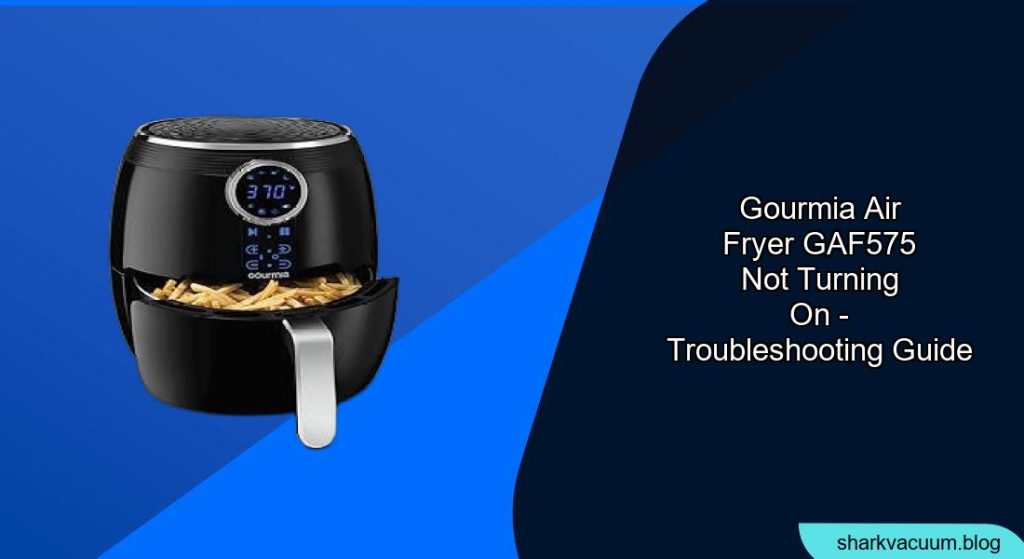
Is your Gourmia GAF575 air fryer refusing to power on? It can be frustrating when your kitchen appliance suddenly stops working. This guide will walk you through common reasons why your Gourmia air fryer might not be turning on and provide step-by-step troubleshooting to get it working again. We’ll cover everything from simple fixes to more complex issues, helping you diagnose the problem and find a solution.
Understanding Why Your Gourmia Air Fryer Won’t Turn On
A malfunctioning air fryer can disrupt your cooking routine. Several factors can cause your Gourmia GAF575 to fail to power on. These can range from simple user errors to internal component failures. By systematically checking each potential cause, you can often identify the problem and avoid unnecessary repairs or replacements. This guide aims to empower you with the knowledge to troubleshoot effectively.
Checking Basic Connections and Power Supply
Before diving into more complex issues, let’s start with the basics. Ensuring proper power and connections can resolve many common problems.
Verifying Power Cord and Outlet
- Inspect the Power Cord: Check the power cord for any visible damage, such as cuts, frayed wires, or exposed conductors. A damaged cord can prevent the air fryer from receiving power.
- Test the Outlet: Plug the air fryer into a different outlet to rule out a faulty outlet. You can also use a multimeter to check if the outlet is providing the correct voltage (usually 120V in North America).
- Avoid Extension Cords: Extension cords can sometimes cause voltage drops, especially if they are not rated for the appliance’s power consumption. Plug the air fryer directly into the wall outlet.
Ensuring Proper Assembly
- Basket Alignment: Ensure the air fryer basket is properly inserted into the unit. Many air fryers have a safety mechanism that prevents them from turning on if the basket is not correctly aligned.
- Check for Obstructions: Inspect the inside of the air fryer for any obstructions or debris that might be interfering with the basket’s seating.
Troubleshooting Common Issues

If the basic checks don’t solve the problem, it’s time to investigate some common issues that can prevent your Gourmia GAF575 from turning on.
Overheating Protection
Modern air fryers come equipped with overheating protection to prevent damage to the unit. If the air fryer overheats, it may automatically shut off and refuse to turn back on until it cools down.
- Allow Cooling Time: Unplug the air fryer and let it cool down completely for at least 30 minutes.
- Check for Blocked Vents: Ensure that the air vents on the back and sides of the air fryer are not blocked by walls, curtains, or other objects. Proper ventilation is essential to prevent overheating.
Faulty Control Panel
The control panel is the brain of your air fryer. A malfunctioning control panel can prevent the unit from responding to inputs or turning on at all.
- Check for Error Codes: If the control panel displays any error codes, consult the user manual for troubleshooting steps specific to those codes.
- Reset the Air Fryer: Some air fryers can be reset by unplugging them for a few minutes and then plugging them back in. This can sometimes clear minor software glitches.
Issues With the Heating Element
The heating element is responsible for generating the heat inside the air fryer. If it fails, the air fryer will not turn on or heat up.
- Visual Inspection: Although you can’t directly see the heating element, check for any signs of burning smells or unusual noises when you attempt to turn on the air fryer.
- Professional Repair: If you suspect a faulty heating element, it’s best to consult a qualified appliance repair technician. Replacing the heating element yourself can be dangerous if you’re not experienced.
Safety Switch Problems
Air fryers typically have a safety switch that prevents the unit from operating unless the basket is properly inserted. If this switch is faulty, it can prevent the air fryer from turning on even when the basket is correctly in place.
- Check the Switch: Locate the safety switch (usually near where the basket slides in) and ensure it moves freely.
- Test the Switch: If you’re comfortable doing so, you can use a multimeter to test the continuity of the switch. If the switch doesn’t show continuity when the basket is inserted, it may need to be replaced.
Pro Tips
- Regular Cleaning: Keep your air fryer clean by removing food debris and grease buildup. This can prevent overheating and ensure proper operation.
- Avoid Overfilling: Overfilling the basket can block airflow and cause the air fryer to overheat or cook unevenly.
- Use Proper Accessories: Use only accessories that are specifically designed for your Gourmia GAF575 air fryer. Using incompatible accessories can damage the unit or cause it to malfunction.
FAQ
What do I do if my Gourmia air fryer turns on but doesn’t heat up?
First, ensure you’ve set the correct temperature and timer. If it still doesn’t heat up, the heating element may be faulty and require professional repair or replacement. Additionally, check for any error codes displayed on the control panel and consult your user manual for specific troubleshooting steps.
How can I reset my Gourmia air fryer?
To reset your Gourmia air fryer, unplug it from the power outlet for approximately 5-10 minutes. After this period, plug it back in and try turning it on. This can help clear any minor software glitches or temporary issues.
Is it safe to use an extension cord with my Gourmia air fryer?
It’s generally not recommended to use an extension cord with your air fryer. Air fryers consume a significant amount of power, and using an extension cord can lead to voltage drops, overheating, or even fire hazards. If you must use one, ensure it is a heavy-duty extension cord rated to handle the air fryer’s wattage.
What does it mean if my air fryer is displaying an error code?
Error codes indicate a specific issue with the air fryer. Refer to your Gourmia GAF575 user manual to identify the meaning of the error code and the recommended troubleshooting steps. Common issues can include overheating, sensor malfunctions, or component failures.
Tips, Warnings, and Best Practices
- Safety First: Always unplug the air fryer before performing any maintenance or troubleshooting steps.
- Read the Manual: Familiarize yourself with the user manual for your Gourmia GAF575 air fryer. It contains valuable information about operation, maintenance, and troubleshooting.
- Professional Help: If you’re not comfortable troubleshooting the air fryer yourself, consult a qualified appliance repair technician.
Conclusion
A Gourmia GAF575 air fryer that won’t turn on can be a frustrating issue, but by systematically troubleshooting the potential causes, you can often resolve the problem and get back to cooking your favorite foods. Start with the basics, like checking the power cord and outlet, and then move on to more complex issues like overheating protection and control panel malfunctions. With this guide, you’ll be well-equipped to diagnose and fix your air fryer, or at least determine when it’s time to seek professional help. Don’t let a non-functioning air fryer disrupt your culinary adventures; take control and get it working again!