

Having issues with your Chefman coffee maker? Don’t worry, you’re not alone! A malfunctioning coffee maker can disrupt your daily routine, but most problems are easily fixable. This guide will walk you through common Chefman coffee maker issues, their solutions, and preventive measures to keep your brewer running smoothly. From addressing error messages to resolving brewing problems, we’ll help you get back to enjoying your perfect cup of coffee in no time.
Common Chefman Coffee Maker Problems and Solutions
This section covers common issues you might encounter with your Chefman coffee maker, along with practical solutions to get it working again.
Coffee Maker Won’t Turn On
- Check the Power Cord: Ensure the power cord is securely plugged into both the coffee maker and the electrical outlet. A loose connection can prevent the unit from powering on.
- Test the Outlet: Plug another device into the same outlet to confirm it’s working. If the outlet isn’t functioning, try a different outlet or reset the circuit breaker.
- Examine the Power Switch: Make sure the power switch is in the “on” position. Sometimes, the switch may appear to be on but isn’t fully engaged.
- Reset the Coffee Maker: Some Chefman models have a reset button. Consult your user manual to locate it and press it to reset the device.
- Overheat Protection: If the coffee maker has overheated, it might automatically shut off. Allow it to cool down for 15-20 minutes before attempting to restart it.
Coffee Maker Not Brewing
- Check Water Reservoir: Ensure the water reservoir has enough water. Most coffee makers won’t brew if the water level is too low.
- Inspect the Filter Basket: Make sure the filter basket is correctly inserted and not overflowing with coffee grounds. An overfilled basket can block the water flow.
- Descale the Coffee Maker: Mineral buildup can clog the internal components. Descale your coffee maker regularly using a descaling solution or a mixture of vinegar and water (see descaling instructions below).
- Check the Carafe Placement: Some models require the carafe to be properly placed for the brewing cycle to start. Ensure the carafe is correctly positioned on the warming plate.
- Examine the Spray Head: The spray head (where water sprays onto the coffee grounds) can get clogged. Clean it with a small brush or needle to ensure proper water distribution.
Coffee is Brewing Too Slowly
- Descale the Coffee Maker: Mineral buildup can significantly slow down the brewing process. Descale your coffee maker as described above.
- Use the Correct Grind Size: Using coffee grounds that are too fine can clog the filter and slow down the brewing process. Use a medium grind for most drip coffee makers.
- Check Water Flow: Ensure the water is flowing freely from the reservoir to the heating element. If the flow is restricted, there may be a blockage.
- Clean the Filter Basket: Residue and oils from coffee grounds can accumulate in the filter basket. Clean it thoroughly with soap and water.
- Water Temperature: If the water isn’t heating up properly, the brewing process will be slow. If you suspect a heating element issue, contact Chefman customer support.
Coffee Tastes Bitter
- Use Fresh Coffee Grounds: Stale coffee grounds can result in a bitter taste. Use freshly roasted and ground coffee for the best flavor.
- Adjust Coffee-to-Water Ratio: Using too much coffee can lead to a bitter brew. Experiment with different ratios to find the perfect balance for your taste. A general guideline is 2 tablespoons of coffee per 6 ounces of water.
- Water Quality: Poor water quality can affect the taste of your coffee. Use filtered water for a cleaner, better-tasting brew.
- Clean the Coffee Maker: Residue buildup can impart a bitter flavor. Regularly clean your coffee maker, including the carafe, filter basket, and water reservoir.
- Water Temperature: Water that is too hot can extract bitter compounds from the coffee grounds. Ensure your coffee maker is brewing at the correct temperature (around 200°F or 93°C).
Coffee Maker Leaking
- Check the Water Reservoir: Ensure the water reservoir is properly seated and not cracked or damaged.
- Inspect the Carafe: Look for cracks or chips in the carafe that could be causing leaks. Replace the carafe if necessary.
- Examine the Filter Basket: Make sure the filter basket is correctly inserted and not damaged. A warped or cracked basket can cause leaks.
- Check the Seals and Gaskets: Over time, seals and gaskets can deteriorate and cause leaks. Inspect them for wear and tear and replace them if needed.
- Descale the Coffee Maker: Mineral buildup can cause internal leaks. Descale your coffee maker to remove mineral deposits.
Descaling Your Chefman Coffee Maker: A Step-by-Step Guide
Preparation Steps
Before you begin, gather the necessary supplies:
- Descaling solution (or white vinegar)
- Water
- The coffee maker
- The coffee maker’s manual
How to Descale
- Prepare the Descaling Solution: Mix equal parts of white vinegar and water. Alternatively, use a commercial descaling solution according to the product instructions.
- Fill the Water Reservoir: Pour the descaling solution into the water reservoir of your Chefman coffee maker.
- Start the Brewing Cycle: Turn on the coffee maker and start a full brewing cycle without adding any coffee grounds.
- Pause Mid-Cycle (If Applicable): Some coffee makers recommend pausing the cycle halfway through to allow the solution to sit in the machine for about 30 minutes. Check your user manual for specific instructions.
- Complete the Brewing Cycle: Allow the coffee maker to complete the brewing cycle, dispensing the descaling solution into the carafe.
- Rinse Thoroughly: Empty the carafe and fill the water reservoir with fresh, clean water. Run two to three full brewing cycles with water only to rinse away any remaining descaling solution.
Pro Tips for Maintaining Your Chefman Coffee Maker
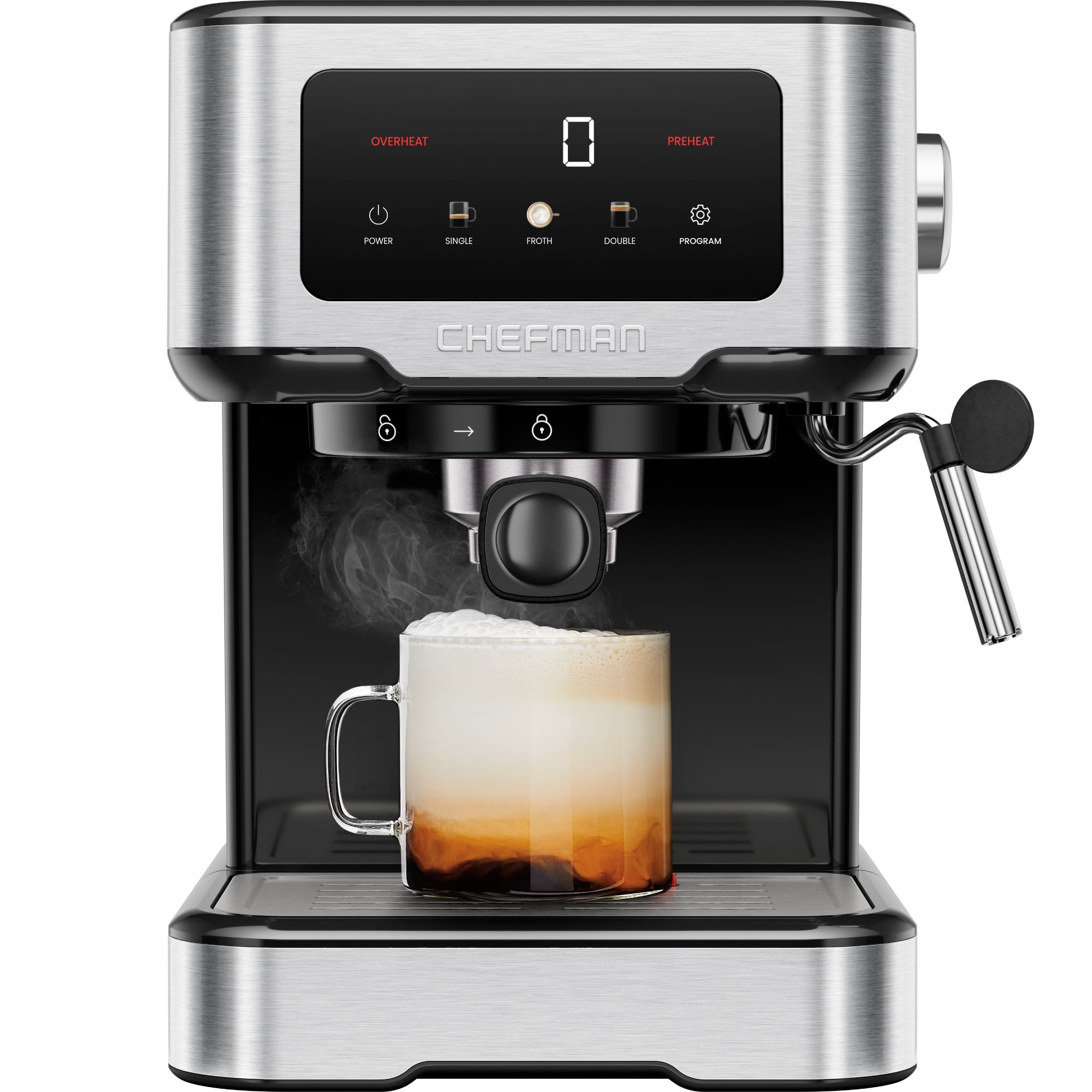
- Regular Cleaning: Clean the carafe and filter basket after each use to prevent buildup.
- Use Filtered Water: Filtered water reduces mineral buildup and improves coffee taste.
- Store Coffee Properly: Keep coffee grounds in an airtight container in a cool, dark place.
- Follow Descaling Schedule: Descale your coffee maker every 1-3 months, depending on water hardness.
- Check for Updates: Visit the Chefman website for firmware updates or maintenance tips specific to your model.
Chefman Coffee Maker Troubleshooting: Addressing Common Error Messages
Chefman coffee makers sometimes display error messages to indicate specific problems. Here’s how to troubleshoot some common ones:
-
“E01” or “Water Empty”:
- Meaning: The water reservoir is empty or not properly filled.
- Solution: Ensure the water reservoir is filled to the appropriate level. If it is full, check the sensor that detects the water level for any obstructions or damage.
-
“E02” or “Carafe Missing”:
- Meaning: The carafe is not properly placed on the warming plate.
- Solution: Ensure the carafe is correctly positioned. Clean the warming plate and the bottom of the carafe to ensure proper contact.
-
“E03” or “Overheat”:
- Meaning: The coffee maker has overheated.
- Solution: Turn off the coffee maker and allow it to cool down for at least 15-20 minutes. Ensure proper ventilation around the unit to prevent future overheating.
-
“E04” or “Descaling Required”:
- Meaning: The coffee maker needs to be descaled.
- Solution: Follow the descaling instructions provided in this guide or your user manual.
If you encounter an error message not listed here, consult your Chefman coffee maker’s user manual for specific troubleshooting steps or contact Chefman customer support for assistance.
FAQ: Troubleshooting Your Chefman Coffee Maker
Why is my coffee maker making a loud noise?
Loud noises often indicate mineral buildup or a blockage in the water line. Descale your coffee maker to remove mineral deposits and ensure water flows freely. Also, check for any loose parts or debris in the machine.
How often should I clean my Chefman coffee maker?
You should clean the carafe and filter basket after each use. A more thorough cleaning, including descaling, should be done every 1-3 months, depending on water hardness and frequency of use.
Can I use tap water in my coffee maker?
While you can use tap water, filtered water is recommended. Filtered water reduces mineral buildup, which can affect the taste of your coffee and the lifespan of your coffee maker.
What type of coffee filter should I use in my Chefman coffee maker?
Refer to your coffee maker’s user manual for the recommended filter type. Most Chefman coffee makers use standard paper filters or reusable mesh filters.
My coffee maker is brewing weak coffee. What can I do?
Ensure you are using enough coffee grounds for the amount of water. A general guideline is 2 tablespoons of coffee per 6 ounces of water. Also, make sure your coffee grounds are fresh and properly stored.
How do I reset my Chefman coffee maker?
Some Chefman models have a reset button, while others can be reset by unplugging them for a few minutes. Consult your user manual for specific instructions for your model.
Tips, Warnings, and Best Practices
- Safety First: Always unplug the coffee maker before cleaning or performing maintenance.
- Avoid Abrasive Cleaners: Use gentle, non-abrasive cleaners to avoid damaging the coffee maker’s surfaces.
- Don’t Overfill: Avoid overfilling the water reservoir or filter basket, as this can cause leaks or brewing issues.
- Regular Maintenance: Follow a regular cleaning and descaling schedule to prolong the life of your coffee maker.
- Read the Manual: Always consult your user manual for specific instructions and troubleshooting tips for your model.
Conclusion
Troubleshooting your Chefman coffee maker doesn’t have to be a daunting task. By understanding common issues and following the solutions outlined in this guide, you can keep your coffee maker running smoothly and enjoy your favorite brew every time. Regular maintenance, including cleaning and descaling, is key to preventing problems and extending the life of your appliance. Now that you’re armed with these troubleshooting tips, you can confidently tackle any coffee maker challenge. If problems persist, consider reaching out to Chefman customer support for further assistance.