

Is your Chefman sous vide refusing to power on? Don’t worry, this guide will walk you through the common causes and solutions to get your sous vide cooker up and running again so you can get back to perfectly cooked meals. We’ll cover everything from basic checks to error codes, and even some advanced troubleshooting tips.
Basic Checks for a Chefman Sous Vide That Won’t Start

Before diving into more complex solutions, let’s cover the most common reasons why your Chefman sous vide might not be starting:
Power Cord and Outlet:
- Ensure the sous vide is properly plugged into a grounded outlet.
- Check the power cord for any visible damage like rips or wear. Do not use the sous vide if the cord is damaged.
- Try a different outlet to rule out an outlet issue.
Water Level:
The Chefman sous vide requires a specific water level to operate. Make sure the water level is between the MIN and MAX lines marked on the device.
- If the water level is too low, the unit may make a constant beeping sound and the display might not work.
- Adding water above the MIN line should stop the beeping [[1], [2]].
Proper Setup:
Make sure the base of the sous vide is inserted into the water before turning it on [[1]].
- Ensure the sous vide is securely clamped onto the side of the pot or container [[3]].
Decoding Chefman Sous Vide Error Codes
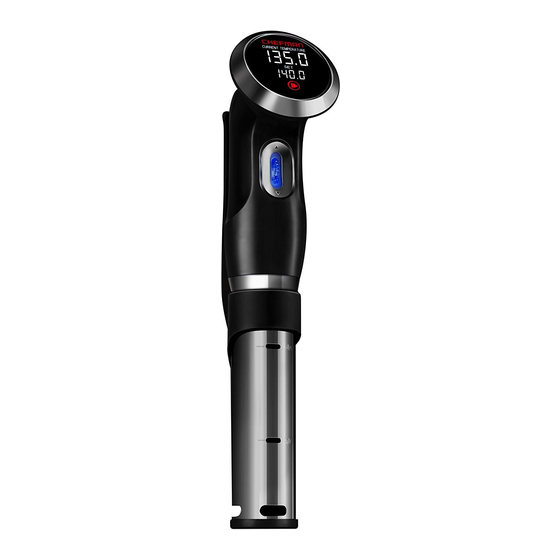
If your Chefman sous vide is displaying an error code, it can help pinpoint the problem:
- E1: This error code typically indicates that the water level is below the MIN line [[1], [3], [8]]. Add more water until the level is within the acceptable range.
- Continuous Beeping: A continuous beep, especially with a non-functional display, often means the water level is not between the MIN and MAX lines [[1], [2]].
Note: Other error codes may exist, refer to your user manual or contact Chefman support for more details.
Resetting Your Chefman Sous Vide
Sometimes, a simple reset can resolve the issue:
- Unplug the sous vide from the outlet.
- Remove it from the water bath and allow it to cool completely.
- Dry the exterior with a damp cloth or paper towel. Never immerse the top of the sous vide, cord, or plug in water.
- Plug it back in and try again.
Addressing Connectivity Problems
Some Chefman sous vide models have Wi-Fi or Bluetooth connectivity. If you’re experiencing issues related to connectivity, try these steps:
- Bluetooth Reset: If the unit cannot connect to Wi-Fi within approximately five minutes, reset your setting by holding the Wi-Fi button until it beeps. This will cause the Sous Vide Cooker to go back to the Bluetooth mode [[1]].
- App Troubleshooting:
- Ensure Bluetooth is enabled on your device.
- Close and reopen the Chefman app.
- Verify you are entering the correct Wi-Fi SSID, password, and security type in the app [[1]].
Descaling Your Chefman Sous Vide
Mineral buildup can sometimes interfere with the proper functioning of your sous vide. Descale the sous vide periodically, especially if you live in an area with hard water [[1]]:
- Unplug the sous vide and allow it to cool.
- Follow the descaling instructions in your user manual. A common method involves using a mixture of vinegar and water.
- Rinse the unit thoroughly with cool water after descaling.
- Dry the unit completely before storing it.
Troubleshooting Clamp Instability

Some users have reported issues with the clamp slipping during use [[4]]. Here’s how to address this:
- Ensure the clamp is securely attached to the pot or container.
- Adjust the clamp to the highest rubber rung to prevent slippage.
- Be mindful of the water level and avoid blocking the water inlet/outlets with the bag.
Chefman Sous Vide: Tips, Warnings, and Best Practices
- Never immerse the top of the sous vide, its cord, or plug in water.
- Do not allow plastic wrap to touch the base of the sous vide.
- Periodically descale the unit, especially in areas with hard water.
- Ensure the water level is always between the MIN and MAX lines.
- If adding water during cooking, allow a few minutes for the sous vide to re-regulate the temperature [[1]].
- Contact Chefman customer service if you suspect a defective unit or are unable to resolve the issue [[3]].
FAQ
What does it mean when my Chefman sous vide is beeping constantly?
A constant beeping sound usually indicates that the water level is not between the MIN and MAX lines [[1], [2]]. Ensure the water level is within the designated range to stop the beeping.
How do I change the temperature from Fahrenheit to Celsius on my Chefman sous vide?
To switch between Fahrenheit and Celsius, press and hold the START/STOP button for 5 seconds [[8]]. The “LIVE” display should change from one scale to the other.
What if my Chefman sous vide displays an “E1” error code?
The “E1” error code indicates that the water level is too low [[1], [3], [8]]. Add water to the container until the water level is above the MIN line.
Can I use any container for sous vide cooking with my Chefman?
You can use any pot or heat-proof container that is deep enough to securely clamp the sous vide to its side and maintain the water level between the MIN and MAX lines [[3]].
What do I do if my Chefman sous vide stops circulating the water?
Check that the water inlet/outlets are not blocked by the bag or anything else [[3]]. Ensure the water level is adequate. If the issue persists, there may be a problem with the circulation motor, and you should contact Chefman support.
How do I connect my Chefman sous vide to Wi-Fi?
- Download the Chefman Sous Vide app from your device’s app store.
- Ensure that your Sous Vide Cooker is set up with water, plugged in, and turned ON.
- Enable Bluetooth on your device.
- Press the Bluetooth/Wi-Fi indicator on the Sous Vide Cooker’s control panel.
- Connect to Bluetooth by pressing the “CONNECT” icon in the app.
- Go to “SETTINGS” in the app, then press “Connect to Wi-Fi.”
- Enter your Wi-Fi information and press “SET UP” [[1]].
Conclusion
By following these troubleshooting steps, you should be able to identify and resolve the issue preventing your Chefman sous vide from starting. Remember to prioritize safety and consult the user manual for specific instructions related to your model. If all else fails, don’t hesitate to contact Chefman customer service for assistance. With a little patience, you’ll be back to enjoying the benefits of sous vide cooking in no time!