
Experiencing issues with your Gourmia Food Station? Don’t worry, many common problems have straightforward solutions. This guide will walk you through troubleshooting common issues, providing tips and best practices to keep your Gourmia Food Station running smoothly and efficiently so you can get back to creating delicious meals.
The Gourmia Food Station is a versatile kitchen appliance designed to simplify meal preparation. However, like any appliance, it can encounter problems. This troubleshooting guide aims to help you identify and resolve the most frequent issues, ensuring you get the most out of your food station. Whether it’s a heating problem or an issue with a specific function, we’ll provide the solutions you need.
Identifying Common Gourmia Food Station Problems
Before diving into solutions, it’s essential to pinpoint the exact issue. Here are some common problems users face with their Gourmia Food Stations:
- Unit Not Powering On: No lights, no response when pressing buttons.
- Uneven Cooking: Food is cooked in some areas but not in others.
- Error Messages: Display screen shows error codes.
- Steam Function Issues: No steam being produced or inconsistent steam.
- Timer Malfunctions: Timer not working or beeping at random times.
- Unusual Noises: Loud grinding, clicking, or other unusual sounds during operation.
Troubleshooting Steps: No Power
A food station that won’t power on can be frustrating. Here’s how to troubleshoot a Gourmia Food Station that refuses to turn on:
- Check the Power Cord: Ensure the power cord is securely plugged into both the food station and the wall outlet.
- Test the Outlet: Plug another appliance into the same outlet to confirm it’s working. If not, check the circuit breaker or try a different outlet.
- Examine the Power Cord for Damage: Look for any visible signs of damage, such as cuts or fraying. If damaged, replace the power cord.
- Reset the Unit: Some food stations have a reset button. Check the user manual for its location and press it.
- Check the Fuse: If the unit has a fuse, check if it has blown. Replace it with a fuse of the same rating if necessary.
Resolving Uneven Cooking
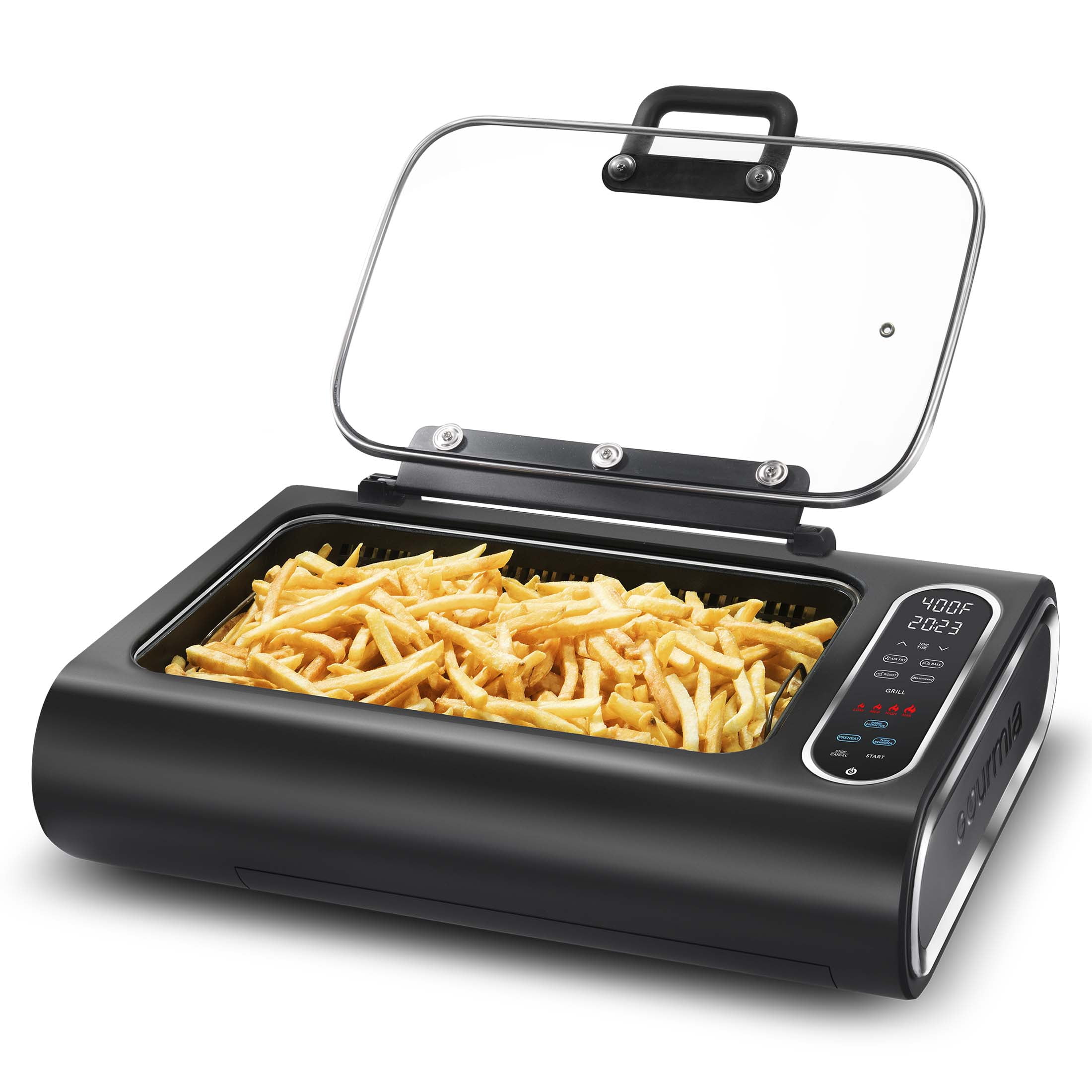
Uneven cooking can ruin a meal. Here’s how to ensure your Gourmia Food Station cooks food evenly:
- Proper Food Placement: Distribute food evenly on the cooking surface. Avoid overcrowding, which can block heat circulation.
- Use the Correct Settings: Ensure you are using the appropriate temperature and cooking time settings for the type of food you are preparing.
- Preheat the Unit: Always preheat the food station before adding food. This helps maintain a consistent temperature.
- Stir or Flip Food Regularly: For best results, stir or flip the food periodically during cooking to ensure even heat distribution.
- Check the Heating Element: Ensure the heating element is clean and functioning correctly. If it’s damaged, it may need replacement.
Decoding and Addressing Error Messages

Error messages provide clues about what’s wrong with your Gourmia Food Station. Here are some common error messages and how to address them:
- Consult the User Manual: The user manual contains a list of error codes and their meanings. Refer to it first for specific instructions.
- Overheat Error: If you see an overheat error, turn off the unit and let it cool down completely before restarting. Ensure proper ventilation to prevent overheating.
- Sensor Error: A sensor error may indicate a faulty sensor. Contact Gourmia customer support for assistance.
- Water Level Error (for Steam Models): If the water level is too low or too high, adjust it accordingly. Clean the water tank and sensor to ensure proper function.
- General Troubleshooting: For any error message, try turning the unit off and on again. If the problem persists, contact customer support.
Fixing Steam Function Problems
If your Gourmia Food Station’s steam function isn’t working correctly, try these solutions:
- Check Water Level: Ensure the water tank is filled to the correct level. Too little or too much water can affect steam production.
- Clean the Water Tank: Mineral deposits can build up in the water tank and affect steam production. Clean it regularly with vinegar and water solution.
- Descale the Unit: Follow the descaling instructions in the user manual to remove mineral buildup from the heating element and steam nozzle.
- Check the Steam Nozzle: Ensure the steam nozzle is not clogged. Use a small brush or needle to clear any blockages.
- Ensure Proper Assembly: Make sure all parts are correctly assembled. Incorrect assembly can prevent the steam function from working.
Addressing Timer Issues
A malfunctioning timer can disrupt your cooking process. Here’s how to troubleshoot timer problems:
- Reset the Timer: Try resetting the timer by turning the unit off and on again.
- Check the Settings: Ensure the timer is set correctly for the desired cooking time.
- Replace the Battery: If the timer has a battery, replace it with a new one.
- Contact Customer Support: If the timer continues to malfunction, contact Gourmia customer support for further assistance.
- Check for Software Updates: If your model has software, check to see if it is up to date.
Silencing Unusual Noises

Unusual noises can indicate a mechanical problem. Here’s how to troubleshoot:
- Identify the Source: Try to determine the source of the noise. Is it coming from the motor, fan, or another part of the unit?
- Check for Obstructions: Ensure there are no obstructions inside the unit. Food particles or debris can cause unusual noises.
- Clean Moving Parts: Clean and lubricate any moving parts, such as the fan or motor shaft.
- Tighten Loose Screws: Check for any loose screws or parts and tighten them.
- Contact Customer Support: If the noise persists, contact Gourmia customer support for professional assistance.
Preparation Steps for Optimal Performance
To ensure your Gourmia Food Station operates efficiently, follow these preparation steps:
- Read the User Manual: Familiarize yourself with the user manual before using the food station.
- Clean the Unit: Clean the food station thoroughly before first use.
- Proper Placement: Place the food station on a flat, stable surface with adequate ventilation.
- Check Accessories: Ensure all accessories are properly installed and in good condition.
- Test Run: Perform a test run to familiarize yourself with the controls and functions.
Troubleshooting Guide
| Problem | Possible Cause | Solution |
|---|---|---|
| No Power | Power cord issue, faulty outlet | Check cord, test outlet, replace cord if damaged |
| Uneven Cooking | Improper food placement, wrong settings | Distribute food evenly, use correct settings, preheat unit |
| Error Messages | Overheating, sensor issue | Consult manual, cool down unit, contact support for sensor issues |
| Steam Function Issues | Low water level, mineral buildup | Check water level, clean water tank, descale unit |
| Timer Malfunctions | Incorrect settings, faulty timer | Reset timer, check settings, replace battery if applicable |
| Unusual Noises | Obstructions, loose parts | Check for obstructions, clean moving parts, tighten loose screws |
Pro Tips for Gourmia Food Station
- Regular Cleaning: Clean your Gourmia Food Station after each use to prevent buildup and ensure optimal performance.
- Use Distilled Water: Using distilled water in steam models can help prevent mineral buildup.
- Proper Storage: Store the food station in a cool, dry place when not in use.
- Avoid Overloading: Do not overload the food station, as this can affect cooking performance and potentially damage the unit.
- Check for Updates: Regularly check for software or firmware updates to ensure your food station is running the latest version.
Tips, Warnings, and Best Practices
- Safety First: Always unplug the food station before cleaning or performing maintenance.
- Avoid Abrasive Cleaners: Do not use abrasive cleaners or scouring pads, as they can damage the surface of the unit.
- Proper Ventilation: Ensure the food station has adequate ventilation to prevent overheating.
- Keep Away from Water: Do not immerse the food station in water or other liquids.
- Follow User Manual: Always follow the instructions and guidelines in the user manual.
FAQ
Why is my Gourmia Food Station not heating up properly?
Several factors can cause heating issues. First, ensure the unit is properly plugged in and the outlet is working. Check if you’ve selected the correct temperature setting for your food. Also, make sure there is no food debris or buildup on the heating element, which can interfere with its performance. If the problem persists, there may be an issue with the heating element itself, requiring professional repair.
What does the “E1” error code mean on my Gourmia Food Station?
The “E1” error code typically indicates an overheating issue. Turn off the food station and allow it to cool down completely before attempting to use it again. Ensure that the ventilation vents are not blocked and that the unit is placed in an open area. If the error code continues to appear, even after cooling, contact Gourmia customer support for assistance.
How often should I descale my Gourmia Food Station if I use the steaming function frequently?
If you use the steaming function frequently, descale your Gourmia Food Station every 2-3 months. Mineral buildup from water can affect the steamer’s performance and potentially damage the unit. Follow the descaling instructions in your user manual using a mixture of vinegar and water, or a commercial descaling solution.
Can I use metal utensils with my Gourmia Food Station?
It depends on the surface of the food station. If your Gourmia Food Station has a non-stick coating, it is best to avoid using metal utensils, as they can scratch and damage the surface. Opt for silicone or wooden utensils instead. If the cooking surface is made of stainless steel or another material that is not easily scratched, metal utensils may be acceptable.
What should I do if the timer on my Gourmia Food Station is not working?
First, ensure that the timer is set correctly and that you have selected the appropriate cooking function. If the timer still does not work, try resetting the food station by turning it off and unplugging it for a few minutes, then plugging it back in and trying again. If the timer continues to malfunction, it may indicate a hardware issue requiring professional repair.
How do I clean the non-stick surfaces of my Gourmia Food Station?
To clean the non-stick surfaces of your Gourmia Food Station, wait until the unit has completely cooled down. Use a soft sponge or cloth with warm, soapy water to gently wipe the surfaces. Avoid using abrasive cleaners, scouring pads, or metal utensils, as these can damage the non-stick coating. Rinse thoroughly with clean water and dry before storing.
Conclusion
Troubleshooting your Gourmia Food Station doesn’t have to be daunting. By following these steps, you can resolve many common issues and keep your appliance running smoothly. Regular maintenance, proper usage, and prompt attention to any problems will ensure that your Gourmia Food Station remains a valuable asset in your kitchen for years to come.
Remember to always prioritize safety and consult the user manual for specific instructions related to your model.