
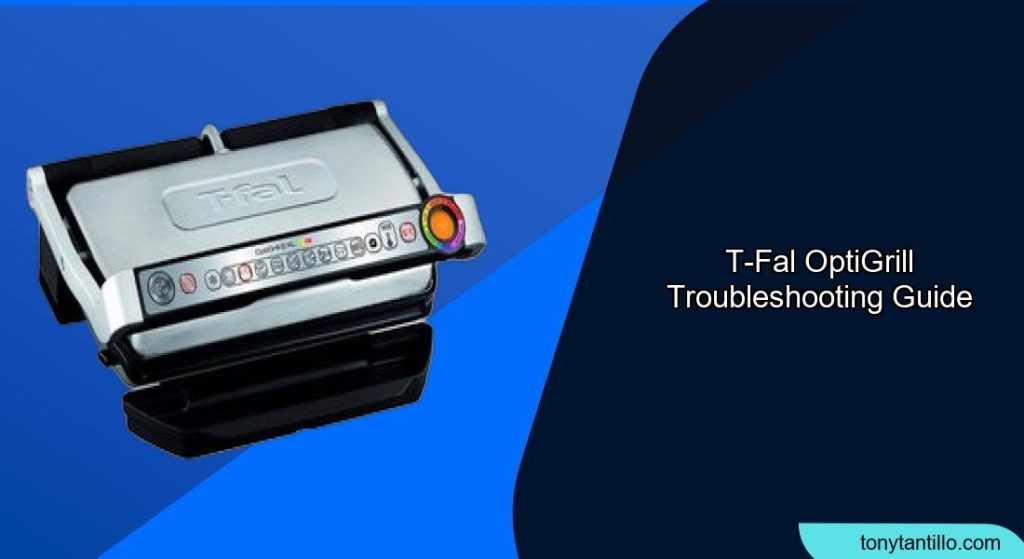
The T-fal OptiGrill is a convenient appliance for cooking various foods, but like any electronic device, it can sometimes encounter issues. This article provides a comprehensive guide to T-fal OptiGrill troubleshooting, addressing common problems and offering practical solutions to keep your grill working perfectly. Whether you’re dealing with sensor issues, error messages, or uneven cooking, this guide will help you diagnose and resolve the problems efficiently.
Understanding Common OptiGrill Issues
The T-fal OptiGrill uses advanced technology to cook food to perfection, but sometimes things can go wrong. Recognizing common issues is the first step in effective troubleshooting. This guide covers everything from sensor malfunctions to error messages, helping you quickly identify and address any problems you may encounter with your OptiGrill. By understanding these common issues, you’ll be better equipped to maintain your appliance and ensure consistent cooking results.
OptiGrill Not Turning On
Power Supply Check
Ensure the OptiGrill is properly plugged into a functioning power outlet. Test the outlet with another device to confirm it’s working.
Resetting the Grill
Unplug the OptiGrill, wait a few minutes, and then plug it back in. This can sometimes reset the internal electronics and resolve minor issues.
Checking the On/Off Switch
Make sure the power switch is in the “On” position. Sometimes, the switch may not be fully engaged, preventing the grill from powering up.
OptiGrill Not Heating Up

Proper Program Selection
Verify that you have selected the correct cooking program for your food. The OptiGrill has different settings for various types of meat, poultry, and other items, and selecting the wrong program can result in the grill not heating up properly.
Preheat Completion
Allow the OptiGrill to complete its preheating cycle before placing food on the grill. The grill needs to reach the correct temperature to cook food properly, and interrupting the preheating process can affect its performance.
Sensor Issues
Clean the sensors on the OptiGrill to ensure they are free from grease and debris. Dirty sensors can prevent the grill from accurately detecting the food and heating up correctly. Use a soft, damp cloth to gently clean the sensors.
Uneven Cooking
Even Food Distribution
Ensure that food is evenly distributed on the grill plates. Overcrowding the grill can lead to uneven cooking as some areas may not receive enough heat. Cook in batches if necessary.
Plate Placement
Check that the grill plates are correctly installed and properly seated. If the plates are not correctly placed, they may not heat evenly, leading to unevenly cooked food.
Food Thickness
Try to cook food items that are of uniform thickness. Variations in thickness can cause some parts of the food to cook faster than others. If necessary, flatten thicker items to ensure even cooking.
Error Messages on the OptiGrill
Error 1: Sensor Malfunction
Solution: Clean the sensors and ensure they are dry. If the error persists, contact T-fal customer support for further assistance.
Error 4: Overheating
Solution: Unplug the grill and allow it to cool down completely. Ensure the ventilation openings are not blocked. Restart the grill after it has cooled down.
Error 9: Communication Error
Solution: Reset the grill by unplugging it for a few minutes and then plugging it back in. If the error continues, contact customer support.
Food Sticking to the Grill Plates
Proper Seasoning
Lightly oil the grill plates before cooking to prevent food from sticking. Use a high-smoke-point oil such as canola or grapeseed oil.
Cleaning the Plates
Ensure the grill plates are thoroughly cleaned after each use. Residue buildup can cause food to stick. Use warm, soapy water and a non-abrasive sponge to clean the plates.
Temperature Settings
Make sure you’re using the correct temperature setting for the type of food you are cooking. Cooking at too low a temperature can cause food to stick to the grill plates.
Troubleshooting Guide
| Problem | Possible Cause(s) | Solution(s) |
|---|---|---|
| Grill not turning on | Power issue, faulty switch | Check power outlet, reset grill, ensure switch is on |
| Grill not heating up | Incorrect program, sensor issue | Select correct program, preheat fully, clean sensors |
| Uneven cooking | Uneven food, plate misplacement | Distribute food evenly, ensure plates are correctly placed, use uniform food thickness |
| Error messages | Sensor malfunction, overheating | Clean sensors, cool down grill, contact customer support |
| Food sticking to grill plates | Improper seasoning, dirty plates | Oil plates, clean thoroughly, use correct temperature |
Preparation Steps
Before using your T-fal OptiGrill, ensure the grill plates are clean and properly installed. Read the instruction manual to understand the different cooking programs and temperature settings. Prepare your food by trimming excess fat and ensuring it is of uniform thickness for even cooking. Gather any necessary cooking oils or marinades to enhance the flavor and prevent sticking.
Pro Tips
- Always preheat the OptiGrill before placing food on the grill for optimal cooking results.
- Use a silicone spatula to flip or remove food from the grill to avoid scratching the non-stick surface.
- Experiment with different marinades and seasonings to enhance the flavor of your grilled dishes.
- Clean the grill plates immediately after use to prevent residue buildup and make cleaning easier.
Alternatives/Variations
Consider using alternative cooking methods if your OptiGrill is not functioning correctly. A traditional stovetop grill pan or outdoor grill can provide similar results. Additionally, explore different models of indoor grills with advanced features and improved reliability.
Common OptiGrill Problems and Solutions
- Problem: The OptiGrill is not recognizing the food.
- Solution: Ensure the sensors are clean and the food is placed correctly on the grill plates.
- Problem: The cooking indicator light is not changing.
- Solution: Verify that the correct cooking program is selected and that the grill is preheated properly.
- Problem: The grill is producing excessive smoke.
- Solution: Trim excess fat from the food and ensure the grill plates are clean.
FAQ
Why is my OptiGrill displaying an error message?
The OptiGrill displays error messages to indicate specific issues, such as sensor malfunctions or overheating. Refer to the error code in the user manual and follow the recommended troubleshooting steps, such as cleaning the sensors or allowing the grill to cool down. If the problem persists, contact T-fal customer support for further assistance.
How do I clean the sensors on my OptiGrill?
To clean the sensors, first ensure the grill is turned off and unplugged. Use a soft, damp cloth to gently wipe the sensors, removing any grease or debris. Avoid using abrasive cleaners or scrubbing too hard, as this can damage the sensors. Allow the sensors to dry completely before using the grill again.
What should I do if my food is sticking to the OptiGrill plates?
If food is sticking to the grill plates, ensure that you are lightly oiling the plates before cooking. Also, verify that the plates are clean and free from residue buildup. Using the correct temperature setting for the type of food you are cooking can also help prevent sticking.
How can I prevent uneven cooking with my OptiGrill?
To prevent uneven cooking, ensure that your food is evenly distributed on the grill plates and that the pieces are of uniform thickness. Avoid overcrowding the grill, and make sure the plates are correctly installed and properly seated. These steps will help ensure consistent and even cooking results.
What do I do if my OptiGrill won’t turn on?
First, check that the OptiGrill is properly plugged into a functioning power outlet. Test the outlet with another device to confirm it is working. Also, ensure that the power switch is in the “On” position. If the grill still won’t turn on, try resetting it by unplugging it for a few minutes and then plugging it back in.
How often should I clean my OptiGrill?
You should clean your OptiGrill after each use to prevent residue buildup and ensure optimal performance. Remove the grill plates and wash them with warm, soapy water and a non-abrasive sponge. Regularly clean the sensors and the exterior of the grill to keep it in good working condition.
Tips, Warnings, and Best Practices
- Tip: Always use non-abrasive cleaning tools to avoid damaging the non-stick coating on the grill plates.
- Warning: Never immerse the OptiGrill base in water or any other liquid.
- Best Practice: Regularly inspect the power cord for any signs of damage and replace it if necessary.
- Tip: Preheat the grill with the plates in place to ensure they reach the correct temperature for cooking.
Conclusion
Troubleshooting your T-fal OptiGrill can be straightforward with the right knowledge and techniques. By understanding common issues, following the solutions provided, and adhering to best practices, you can keep your OptiGrill functioning efficiently. Regular maintenance and prompt attention to problems will extend the life of your appliance and ensure perfectly grilled food every time.
Remember to always check the power supply, clean the sensors, and select the correct cooking programs to maximize the performance of your OptiGrill.