
Is your Gourmia air fryer refusing to turn on? A non-responsive power button can be frustrating, especially when you’re craving crispy fries or a quick dinner. This guide will walk you through the most common reasons why your Gourmia air fryer power button might not be working and provide step-by-step solutions to get you back on track.
Understanding the Problem
A malfunctioning power button on your Gourmia air fryer can stem from various issues, ranging from simple fixes to more complex technical problems. Before assuming the worst, it’s crucial to systematically troubleshoot the potential causes. This guide will help you identify the root of the problem and explore practical solutions you can try at home.
Common Reasons and Solutions
1. Power Supply Issues
The most basic, yet often overlooked, issue is the power supply itself.
- Check the Power Outlet: Ensure the air fryer is plugged into a working outlet. Test the outlet with another appliance to confirm it’s providing power.
- Inspect the Power Cord: Look for any visible damage to the power cord, such as cuts, fraying, or exposed wires. If damage is present, do not use the air fryer, and consider replacing the cord or contacting Gourmia support.
- Reset the Air Fryer: Some Gourmia air fryers have a reset button or require a simple unplug-and-wait reset. Unplug the air fryer from the outlet, wait 5-10 minutes, and then plug it back in to see if it powers on.
2. Safety Features Engaged
Gourmia air fryers, like many kitchen appliances, have built-in safety features to prevent operation under unsafe conditions.
- Basket Not Properly Inserted: The air fryer will not turn on if the basket is not fully and correctly inserted into the unit. Remove the basket and re-insert it, ensuring it clicks or locks into place.
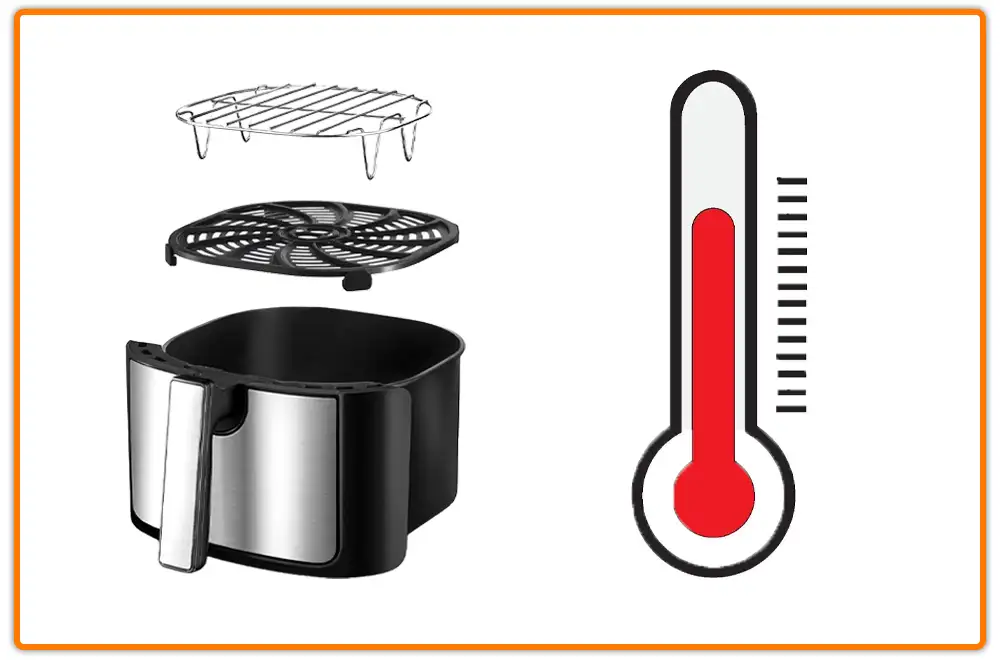
- Overheat Protection: If the air fryer has recently been used for an extended period or at a high temperature, it might have triggered the overheat protection. Allow the air fryer to cool down completely before attempting to turn it on again.
3. Control Panel Issues
Sometimes, the problem lies within the air fryer’s control panel.
- Dirty or Sticky Buttons: Over time, food residue and grease can accumulate around the power button, making it difficult to press properly. Clean the control panel with a slightly damp (not wet) cloth. Avoid using abrasive cleaners that could damage the surface.
- Button Stuck: Sometimes the button may be physically stuck. Try gently pressing around the edges of the button to dislodge it.
- Touchscreen Issues: If your Gourmia air fryer has a touchscreen, ensure the screen is clean and dry. Moisture or debris can interfere with the touchscreen’s sensitivity. If issues persist, try recalibrating the touchscreen if your model has that option.
4. Internal Component Failure
If none of the above solutions work, there might be an internal component failure.
- Faulty Power Button: The power button itself could be defective. This requires professional repair or replacement of the button.
- Circuit Board Issues: Problems with the air fryer’s circuit board can also prevent it from turning on. This is a more complex issue that usually requires professional diagnosis and repair.
- Blown Fuse: Some air fryers contain a fuse that protects the internal components from power surges. If the fuse is blown, the air fryer will not turn on. Check the user manual to see if your model has a replaceable fuse and how to access it.
5. Software or Programming Glitches
Some advanced Gourmia air fryer models come with digital controls and programmed settings.
- Software Reset: Try performing a factory reset if your model has this feature. Refer to your user manual for instructions on how to reset the software.
- Firmware Update: Check if there are any available firmware updates for your air fryer. Updating the firmware can sometimes resolve software glitches that may be causing the power button issue.
Tools/Materials You Might Need
- Screwdriver (for accessing internal components, if necessary)
- Damp cloth
- Mild dish soap
- Multimeter (for testing power outlet and continuity)
- Replacement fuse (if applicable)
Troubleshooting Guide
| Problem | Possible Solution |
|---|---|
| No power at all | Check power outlet, inspect power cord, try a different outlet |
| Basket issue | Ensure basket is properly inserted |
| Button unresponsive | Clean the button and surrounding area |
| Overheat protection | Let the air fryer cool down completely |
| Software glitch (if applicable) | Try a software reset or firmware update |
Tips, Warnings, and Best Practices
- Safety First: Always unplug the air fryer before attempting any troubleshooting or repairs.
- Avoid Water: Never immerse the air fryer or its components in water.
- Read the Manual: Refer to your Gourmia air fryer’s user manual for specific troubleshooting steps and safety information.
- Professional Help: If you’re not comfortable disassembling the air fryer or dealing with electrical components, seek professional assistance from a qualified appliance repair technician.
FAQ
Why is my Gourmia air fryer power button flashing but not turning on?
A flashing power button usually indicates an error code or a specific issue. Check your user manual for the meaning of the flashing code and corresponding troubleshooting steps. It could be related to the basket not being properly inserted, overheating, or a sensor malfunction.
How do I know if the power outlet is the problem?
Plug another appliance into the same outlet to see if it works. If the other appliance also doesn’t work, the issue is likely with the power outlet. Try resetting the circuit breaker or contacting an electrician.
Can I replace the power button myself?
If you are comfortable working with electronics and have experience with appliance repair, you can attempt to replace the power button. However, it’s crucial to disconnect the air fryer from the power source and follow safety precautions. If you’re unsure, it’s best to seek professional assistance.
What do I do if my Gourmia air fryer is still under warranty?
If your air fryer is still under warranty, contact Gourmia customer support for assistance. They may be able to provide troubleshooting steps, repair the air fryer, or offer a replacement. Do not attempt to repair the air fryer yourself, as this could void the warranty.
How often should I clean the control panel to prevent button issues?
Clean the control panel after each use to prevent food residue and grease from accumulating around the buttons. Use a damp cloth and mild dish soap to gently wipe the surface. Avoid using abrasive cleaners that could damage the control panel.
Is it normal for my Gourmia air fryer to take a few seconds to turn on after pressing the power button?
Some air fryers have a slight delay before turning on, especially those with digital controls. If the delay is excessive or inconsistent, it could indicate a problem. Try resetting the air fryer or contacting Gourmia support for assistance.
Conclusion
A non-working power button on your Gourmia air fryer doesn’t always mean the appliance is beyond repair. By systematically troubleshooting the potential causes, from power supply issues to internal component failures, you can often identify the problem and find a solution. If you’ve exhausted all troubleshooting steps and the air fryer still won’t turn on, consider contacting Gourmia customer support or seeking professional repair services. Getting your air fryer back in working order means you can quickly make your favorite dishes.