
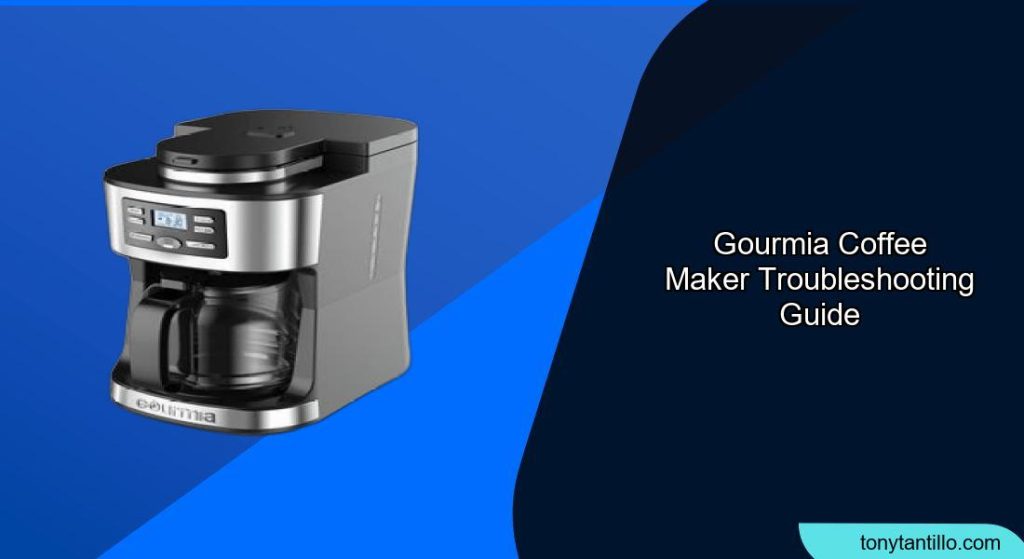
Experiencing issues with your Gourmia coffee maker? Don’t let a malfunctioning machine ruin your daily coffee ritual. Whether it’s a grinder problem, a leak, or a strange error code, this comprehensive guide will help you diagnose and fix common Gourmia coffee maker issues, ensuring you can get back to enjoying your perfect cup of coffee.
Common Gourmia Coffee Maker Problems and Solutions
Here are some common problems encountered with Gourmia coffee makers, along with troubleshooting steps:
1. Coffee Maker Not Turning On
- Check the power source: Ensure the coffee maker is properly plugged into a functioning wall outlet. Reset any tripped breakers.
- Inspect the power button and fuse: Check for damage to the power button. If the machine still doesn’t turn on, inspect the internal fuse. A blown fuse could be the problem.
2. Coffee Maker Not Heating
- Verify heating element functionality: A faulty heating element can cause the coffee maker not to heat. Use a multimeter to test the heating element for continuity.
- Check thermostat settings: Incorrect thermostat settings can prevent the machine from heating properly. Adjust the settings according to the manufacturer’s recommendations.
3. Coffee Not Brewing
- Ensure water reservoir is filled: The coffee maker not brewing often indicates an empty water reservoir. Fill the reservoir to the appropriate level.
- Check for blockages in the water line: Inspect the water line for any blockages that may be preventing water flow.
- Inspect the water pump: A faulty water pump can also cause dispensing problems. Test the pump to ensure it is working correctly, and replace it if necessary.
4. Coffee Brewing Too Slowly or Overflowing
- Descale the coffee maker: Mineral buildup can significantly impact brewing speed and lead to overflows. Descaling removes these deposits, restoring proper function. Use a descaling solution or a mixture of vinegar and water.
- Check the filter and filter basket: Make sure the filter is not clogged and is properly placed in the filter basket.
- Use the correct coffee grind: Using coffee grounds that are too fine can cause the filter to clog and the coffee to brew slowly or overflow. Use a coarser grind.
5. Coffee is Leaking
- Ensure the carafe is properly placed: Make sure the carafe is correctly positioned on the base of the unit.
- Check the anti-drip valve: The anti-drip valve prevents coffee from dripping when the carafe is removed. Ensure it is clean and functioning correctly.
- Inspect the water reservoir: Check the reservoir for cracks or leaks. If damaged, replace the reservoir.
6. Grinder Not Working (Grind and Brew Models)
- Check safety interlocks: Grind and brew coffee makers have safety interlocks to prevent the grinder from operating when the lid is open or the brew basket is not correctly in place. Make sure the lid is securely closed and the brew basket is properly seated.
- Ensure the grinder is not in “Brew Only” mode: Some models have a “Brew Only” mode that disables the grinder. Make sure the grinder is set to “Coarse” or “Fine” if you want to grind beans.
- Check for obstructions in the grinder: Coffee beans or debris can obstruct the grinder. Clean the grinder thoroughly.
7. Temperature Fluctuations
- Inspect the thermostat: Temperature fluctuations can be due to a faulty thermostat. Check and replace it if necessary.
- Descale the machine: Mineral deposits can affect heating elements, leading to temperature fluctuations. Regularly descale your coffee maker.
8. Error Codes
- E1 Error: This error code often indicates a problem with the fan or wiring inside the device. It could be a disconnected wire on the PCB (printed circuit board) or a faulty temperature sensor.
- Solution: Try reconnecting any disconnected wires or replacing the faulty temperature sensor. If you’re not comfortable with this, contact a professional technician.
Practical Elements for Troubleshooting
Preparation Steps
- Unplug the coffee maker: Before performing any troubleshooting steps, unplug the coffee maker from the power outlet.
- Gather necessary tools: Depending on the issue, you may need a screwdriver, multimeter, descaling solution, or cleaning brush.
- Consult the user manual: Refer to your Gourmia coffee maker’s user manual for specific instructions and troubleshooting tips.
Troubleshooting Guide
| Problem | Possible Causes | Solutions |
|---|---|---|
| Coffee maker not turning on | No power, damaged power button, blown fuse | Check power outlet, inspect power button, replace fuse |
| Coffee maker not heating | Faulty heating element, incorrect thermostat settings | Test heating element with multimeter, adjust thermostat settings |
| Coffee not brewing | Empty water reservoir, blocked water line, faulty water pump | Fill water reservoir, check water line for blockages, test and replace water pump |
| Coffee brewing too slowly | Mineral buildup, clogged filter, fine coffee grind | Descale the coffee maker, clean or replace filter, use coarser grind |
| Coffee is leaking | Improper carafe placement, faulty anti-drip valve, cracked reservoir | Ensure correct carafe placement, clean or replace anti-drip valve, replace reservoir |
| Grinder not working | Safety interlocks, “Brew Only” mode, obstructions | Ensure lid is closed and brew basket is seated, check grinder settings, clean grinder |
| Temperature fluctuations | Faulty thermostat, mineral deposits | Inspect and replace thermostat, descale the machine |
| E1 Error | Wiring issue, faulty temperature sensor | Reconnect disconnected wires, replace temperature sensor, contact technician |
Pro Tips
- Regular Cleaning: Clean your Gourmia coffee maker regularly to prevent mineral buildup and ensure optimal performance.
- Use Filtered Water: Using filtered water can reduce mineral buildup and improve the taste of your coffee.
- Descale Regularly: Depending on your water hardness, descale your coffee maker every 1-3 months.
Alternatives/Variations
- Manual Descaling: If you don’t have a descaling solution, use a mixture of equal parts white vinegar and water.
- Professional Repair: If you’re unable to resolve the issue yourself, consider contacting a professional appliance repair service.
FAQ
What does the “Clean” light mean on my Gourmia coffee maker, and how do I turn it off?
The “Clean” light indicates that it’s time to descale your coffee maker. To turn it off, follow the descaling process outlined in your user manual, typically involving running a descaling solution or vinegar and water mixture through the machine. After descaling, the light should automatically turn off; if not, try unplugging the machine for a few minutes.
Why is my Gourmia coffee maker brewing weak coffee, and how can I fix it?
Weak coffee can be due to several factors, including using too little coffee grounds, using a coarse grind, or the coffee maker needing to be descaled. Try using more coffee grounds, using a finer grind, and descaling your machine regularly to ensure optimal brewing temperature and extraction.
How do I reset my Gourmia coffee maker if it’s not responding?
To reset your Gourmia coffee maker, unplug it from the power outlet for a few minutes, then plug it back in. This can help reset the internal electronics and resolve minor issues. Refer to your user manual for model-specific reset instructions.
What can I do if my Gourmia coffee maker is leaking from the bottom?
Check the water reservoir for cracks or improper seating, ensure all connections are tight, and inspect the internal components for leaks. If you find any damaged parts, replace them. For espresso machines, check the handle part for leakage issues.
My Gourmia coffee maker’s grinder is not working. What should I do?
First, ensure the lid is securely closed and the brew basket is properly seated, as these are often connected to safety interlocks. Also, check that the grinder isn’t set to “Brew Only” mode. If these aren’t the issue, inspect the grinder for obstructions and clean it thoroughly.
How often should I replace the filter in my Gourmia coffee maker?
The frequency of filter replacement depends on the type of filter your coffee maker uses. Replace paper filters after each use. For reusable filters, clean them after each use and replace them every few months or as needed. Some Gourmia models have washable filters, which should be cleaned regularly for the best coffee quality.
Tips, Warnings, and Best Practices
- Safety First: Always unplug the coffee maker before performing any maintenance or repairs.
- Avoid Abrasive Cleaners: Do not use abrasive cleaners or scouring pads, as they can damage the coffee maker’s surface.
- Proper Water Level: Always fill the water reservoir to the correct level to prevent damage to the heating element.
Conclusion
By following these troubleshooting steps, you can address common Gourmia coffee maker problems and keep your machine brewing delicious coffee for years to come. Regular maintenance, proper cleaning, and prompt attention to any issues will ensure a consistent and enjoyable coffee experience. Now that you’re armed with these solutions, go ahead and brew that perfect cup!