
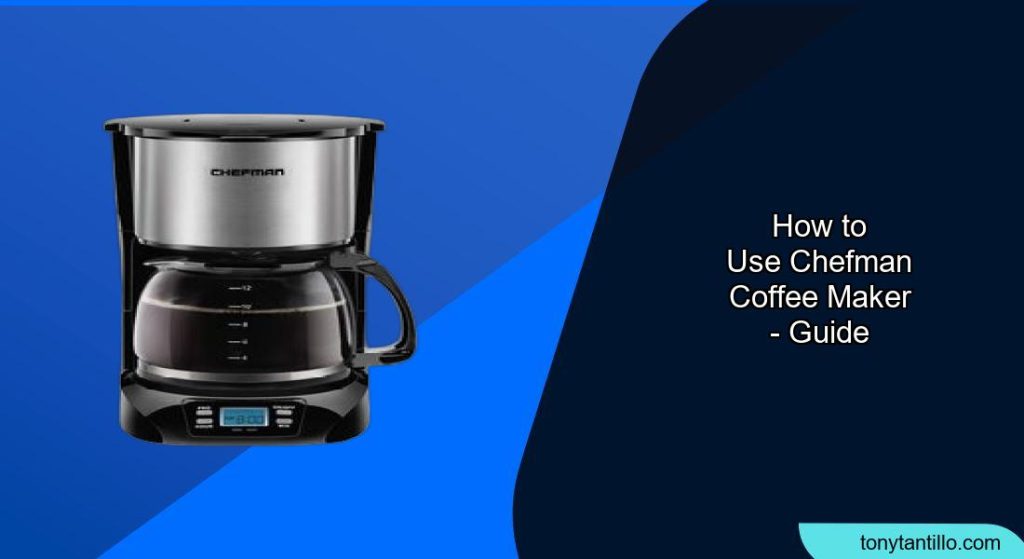
Brewing a perfect cup of coffee at home doesn’t have to be complicated. With a Chefman coffee maker, you can enjoy delicious, freshly brewed coffee with ease. Many people find themselves unsure about the specific steps involved in operating a new coffee maker. This guide aims to simplify the process, providing clear instructions on how to use your Chefman coffee maker effectively.
This comprehensive guide will walk you through everything you need to know about using a Chefman coffee maker, from the initial setup to brewing your first pot and maintaining your machine for long-lasting performance. Whether you’re a coffee novice or a seasoned pro, these instructions will help you unlock the full potential of your Chefman coffee maker. Let’s get started and transform your morning routine with the perfect cup of coffee!
Preparing Your Chefman Coffee Maker for First Use
Before brewing your first pot of coffee, it’s essential to prepare your Chefman coffee maker properly. This initial setup ensures optimal performance and helps remove any manufacturing residue.
- Unboxing and Inspection: Carefully unpack your Chefman coffee maker and inspect all the components. Ensure that you have all the necessary parts, including the carafe, filter basket, and any included accessories.
- Cleaning the Components: Wash the carafe, filter basket, and any removable parts with warm, soapy water. Rinse thoroughly and dry completely before reassembling.
- Initial Rinse Cycle: Fill the water reservoir to the maximum fill line. Place the empty carafe on the warming plate and run a full brewing cycle without adding any coffee grounds. This process cleans the internal components and removes any lingering odors or residue.
Step-by-Step Guide to Brewing Coffee with a Chefman Coffee Maker
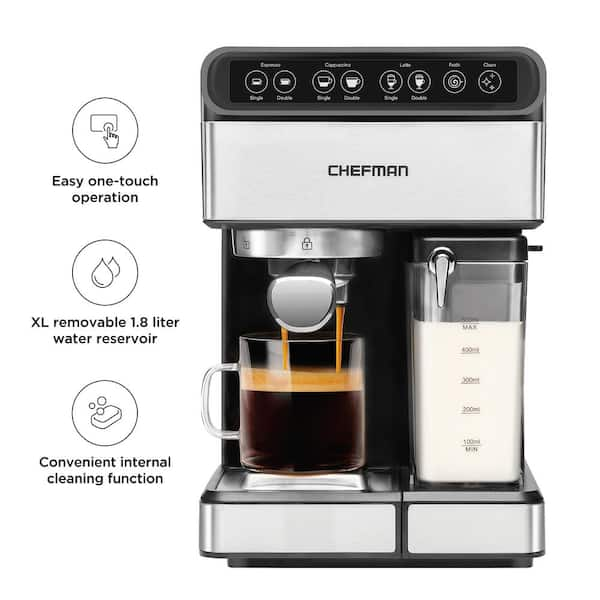
Now that your Chefman coffee maker is clean and ready, follow these steps to brew a delicious pot of coffee:
- Fill the Water Reservoir: Open the water reservoir and fill it with fresh, cold water. Use the water level indicator to measure the desired amount of water, keeping in mind that one cup of coffee is typically around 5 ounces.
- Insert a Coffee Filter: Place a paper filter into the filter basket. Ensure the filter is properly seated to prevent coffee grounds from overflowing into your coffee.
- Add Coffee Grounds: Add the appropriate amount of coffee grounds to the filter. A general guideline is two tablespoons of ground coffee per six ounces of water, but you can adjust this to your taste preference.
- Place the Carafe: Ensure the carafe is properly placed on the warming plate. Most Chefman coffee makers have a safety feature that prevents brewing if the carafe is not in place.
- Start the Brewing Process: Turn on the coffee maker by pressing the power button. The brewing process will begin automatically. Some models may have additional settings such as “bold” or “strong” for a more intense flavor.
- Wait for Brewing to Complete: Allow the coffee maker to complete the brewing cycle. Once finished, the coffee maker will typically switch to a warming mode to keep your coffee hot.
- Pour and Enjoy: Carefully pour the freshly brewed coffee into your favorite mug and enjoy!
Advanced Features and Settings on Your Chefman Coffee Maker

Chefman coffee makers often come with advanced features that can enhance your brewing experience. Here are some common features and how to use them:
- Programmable Timer: Many Chefman models allow you to program the coffee maker to start brewing at a specific time. To set the timer, press the “Program” button, set the desired time using the hour and minute buttons, and then press the “Program” button again to confirm.
- Bold Setting: The “bold” setting allows you to brew a stronger, more robust cup of coffee. When selected, this feature slows down the brewing process, allowing more time for the water to extract flavor from the coffee grounds.
- Automatic Shut-Off: For safety and energy conservation, Chefman coffee makers typically include an automatic shut-off feature. This feature turns off the coffee maker after a set period of time, usually around two hours.
- Pause and Serve: The pause and serve feature allows you to briefly interrupt the brewing process to pour a cup of coffee before the entire pot is finished. This feature is convenient for those who can’t wait for the full brewing cycle.
Maintaining and Cleaning Your Chefman Coffee Maker
Regular cleaning and maintenance are crucial for keeping your Chefman coffee maker in optimal condition and ensuring the best-tasting coffee.
- Daily Cleaning: After each use, discard the used coffee grounds and paper filter. Wash the carafe and filter basket with warm, soapy water. Rinse thoroughly and dry completely.
- Descaling: Descale your coffee maker every 1-3 months, depending on your water hardness. To descale, fill the water reservoir with a mixture of equal parts white vinegar and water. Run a full brewing cycle, then run two additional cycles with fresh water to rinse away any vinegar residue.
- Exterior Cleaning: Wipe down the exterior of the coffee maker with a damp cloth to remove any spills or stains. Avoid using abrasive cleaners that could damage the finish.
- Deep Cleaning: Periodically disassemble and clean all removable parts, including the water reservoir and spray head. Use a small brush to remove any mineral buildup or coffee residue.
Troubleshooting Common Issues with Your Chefman Coffee Maker
Even with proper use and maintenance, you may encounter occasional issues with your Chefman coffee maker. Here are some common problems and their solutions:
- Coffee Maker Not Turning On: Ensure the coffee maker is properly plugged into a functioning outlet. Check the power cord for any damage. If the coffee maker still doesn’t turn on, consult the user manual or contact Chefman customer support.
- Coffee Brewing Too Slowly: This issue is often caused by mineral buildup in the water reservoir or internal components. Descale your coffee maker to remove any mineral deposits.
- Coffee Tastes Bitter: Bitter coffee can be caused by using too much coffee grounds, over-extracting the coffee, or using stale coffee. Adjust the amount of coffee grounds, reduce the brewing time, and use fresh coffee beans.
- Coffee Maker Leaking: Check the carafe and filter basket to ensure they are properly seated. Inspect the water reservoir for any cracks or leaks. If the coffee maker continues to leak, contact Chefman customer support.
- Coffee Grounds in Coffee: Ensure that you’re using the correct size and type of coffee filter. Make sure the filter is properly seated in the filter basket. Avoid overfilling the filter basket with coffee grounds.
FAQ About Using Chefman Coffee Makers
How often should I descale my Chefman coffee maker?
It is recommended to descale your Chefman coffee maker every 1-3 months, depending on the hardness of your water. If you notice mineral buildup or the coffee maker is brewing more slowly, it’s time to descale.
Can I use a permanent filter with my Chefman coffee maker?
Yes, many Chefman coffee makers are compatible with permanent filters. Check your user manual to ensure compatibility and follow the manufacturer’s instructions for using a permanent filter.
What type of coffee grounds should I use in my Chefman coffee maker?
A medium grind is generally recommended for drip coffee makers like Chefman models. Avoid using finely ground coffee, as it can clog the filter and result in bitter-tasting coffee.
How do I clean the carafe of my Chefman coffee maker?
Wash the carafe with warm, soapy water after each use. For stubborn stains, you can use a mixture of baking soda and water or a commercial coffee maker cleaner.
What does the “bold” setting do on my Chefman coffee maker?
The “bold” setting slows down the brewing process, allowing more time for the water to extract flavor from the coffee grounds, resulting in a stronger, more robust cup of coffee.
Can I use tap water in my Chefman coffee maker?
While you can use tap water, using filtered water is recommended to improve the taste of your coffee and reduce mineral buildup in the coffee maker.
Tips, Warnings, and Best Practices for Chefman Coffee Maker Use
- Use Freshly Roasted Coffee Beans: For the best-tasting coffee, use freshly roasted coffee beans and grind them just before brewing.
- Experiment with Coffee-to-Water Ratios: Adjust the amount of coffee grounds to find the perfect balance for your taste preferences.
- Clean Regularly: Regular cleaning and descaling will prolong the life of your coffee maker and ensure optimal performance.
- Avoid Overfilling: Do not overfill the water reservoir or filter basket, as this can cause leaks and other issues.
- Never Submerge the Coffee Maker: Never submerge the coffee maker in water or any other liquid.
Conclusion
Using a Chefman coffee maker is a straightforward process that can bring the joy of freshly brewed coffee into your daily routine. By following this guide, you can confidently set up, operate, and maintain your Chefman coffee maker for years of reliable performance. Whether you prefer a mild morning blend or a bold afternoon pick-me-up, your Chefman coffee maker is equipped to deliver the perfect cup every time. Now that you know how to use a Chefman coffee maker, grab your favorite coffee, and enjoy the delightful experience of home brewing!