
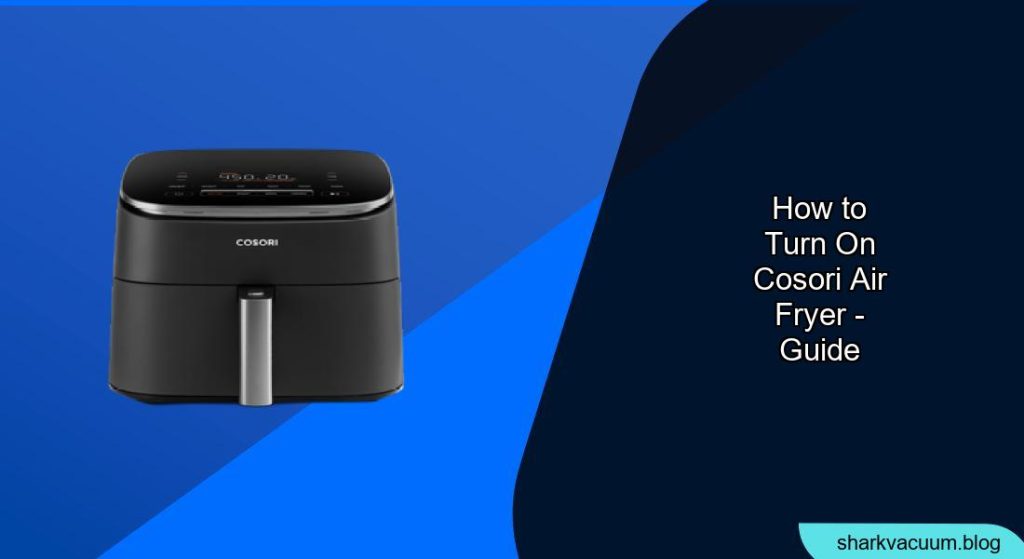
Turning on your COSORI air fryer is a simple process, but understanding the steps and features ensures you get the best cooking experience. This guide provides a comprehensive walkthrough of how to turn on your COSORI air fryer, use its various functions, and troubleshoot common issues. Whether you’re a beginner or an experienced cook, mastering your air fryer is the first step to delicious, healthy meals.
Understanding Your COSORI Air Fryer Model
Before diving in, it’s essential to know which COSORI air fryer model you have, as different models may have slight variations in their controls and features. Common models include the COSORI Smart WiFi Air Fryer, COSORI Pro LE Air Fryer, and COSORI Dual Blaze Air Fryer. Knowing your model helps you refer to the specific manual and utilize model-specific functions.
Step-by-Step Guide to Turning On Your COSORI Air Fryer
Step 1: Prepare the Air Fryer
Ensure the air fryer is placed on a flat, stable surface away from water sources. Confirm that the power cord is securely plugged into an outlet.
Step 2: Insert the Basket Correctly
Make sure the frying basket is correctly inserted into the air fryer. The air fryer will not turn on if the basket is not properly aligned. You should hear a click or feel it lock into place.
Step 3: Power On the Air Fryer
Most COSORI air fryers have a power button, often indicated by a universal power symbol. Press this button to turn on the device. The display panel should light up.
Step 4: Select a Preset or Manual Settings
- Using Presets: The COSORI air fryer comes with several preset cooking functions for items like fries, chicken, seafood, and desserts. Select the appropriate preset by pressing the corresponding icon on the control panel.
- Manual Settings: If you prefer to set the temperature and time manually, use the “+” and “-” buttons to adjust these settings to your desired levels.
Step 5: Start the Cooking Process
Once the settings are selected, press the “Start” button to begin the cooking cycle. Some models may require you to press the power button again to confirm.
Navigating the Control Panel
Understanding the Icons and Buttons
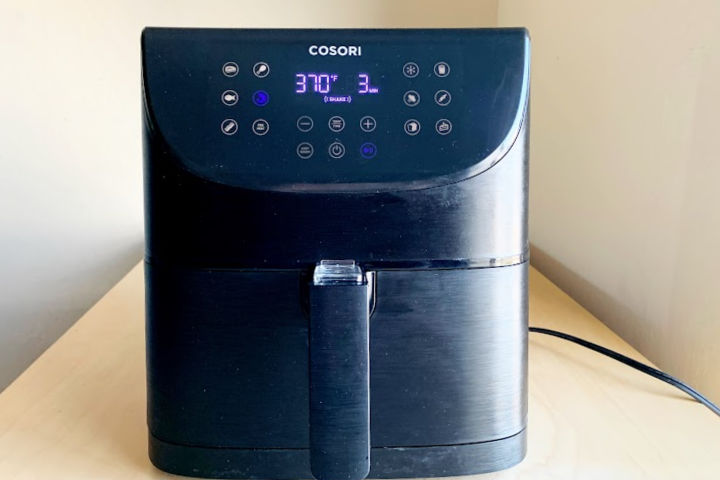
Familiarize yourself with the control panel icons. These usually include:
- Power Button: Turns the device on and off.
- Temperature Control: Adjusts the cooking temperature.
- Timer: Sets the cooking duration.
- Preset Functions: Options for various food items (e.g., chicken, fries, steak).
- Start/Pause Button: Starts or pauses the cooking process.
- Shake Reminder: Alerts you to shake or flip the food for even cooking (on some models).
Adjusting Time and Temperature
Use the “+” and “-” buttons to fine-tune the cooking time and temperature. Always refer to your recipe or the air fryer’s guide for optimal settings.
Using Preset Cooking Functions
Presets are designed to simplify cooking specific foods. Select the preset that matches your food item, and the air fryer will automatically set the appropriate time and temperature. You can still adjust these settings manually if needed.
Troubleshooting Common Issues
Air Fryer Not Turning On
- Check the Power Cord: Ensure the power cord is securely plugged into the outlet and the air fryer.
- Basket Alignment: Make sure the frying basket is correctly inserted.
- Reset the Device: Try turning the air fryer off, waiting a few minutes, and then turning it back on.
Food Not Cooking Evenly
- Shake or Flip Food: Many recipes benefit from shaking or flipping the food halfway through the cooking cycle.
- Avoid Overcrowding: Cook food in batches to ensure proper air circulation.
- Temperature Adjustment: Increase the temperature slightly if the food is undercooked.
Error Messages
- Consult the Manual: Refer to your COSORI air fryer’s manual to understand specific error codes and their solutions.
- Contact Customer Support: If the error persists, contact COSORI customer support for assistance.
Tips, Warnings, and Best Practices
- Preheating: Preheat your COSORI air fryer for about 3-5 minutes before cooking for best results.
- Oil Usage: While air frying requires less oil than traditional frying, a light spray can help achieve a crispier texture.
- Cleaning: Clean the basket and other removable parts after each use to prevent buildup and maintain performance.
- Safety: Always unplug the air fryer and allow it to cool completely before cleaning.
FAQ
How do I reset my COSORI air fryer?
To reset your COSORI air fryer, unplug it from the power outlet and wait for about 5-10 minutes. Then, plug it back in and turn it on. This should reset the device and clear any minor software glitches.
Can I use aluminum foil in my COSORI air fryer?
Yes, you can use aluminum foil in your COSORI air fryer, but make sure it doesn’t block the air circulation. It’s best to use foil only on the bottom of the basket and secure it with the food’s weight to prevent it from being sucked into the heating element.
What temperature is best for air frying?
The best temperature for air frying typically ranges between 350°F (175°C) and 400°F (200°C). However, the ideal temperature can vary depending on the type of food you’re cooking. Refer to your recipe or the air fryer’s guide for specific recommendations.
How do I clean my COSORI air fryer?
To clean your COSORI air fryer, first unplug it and let it cool down. Remove the basket and any accessories, then wash them with warm, soapy water. For stubborn stains, use a non-abrasive sponge. Wipe down the inside of the air fryer with a damp cloth.
Why is my COSORI air fryer smoking?
Your COSORI air fryer might be smoking due to high-fat foods causing grease to splatter and burn. Ensure you are cleaning the air fryer regularly and consider using less oil. Also, make sure the temperature isn’t too high for the food you’re cooking.
What are the benefits of using a COSORI air fryer?
COSORI air fryers offer numerous benefits, including healthier cooking with less oil, faster cooking times compared to traditional ovens, and easy cleanup. They also come with various presets and smart features that make cooking convenient and versatile.
Conclusion
Turning on your COSORI air fryer is straightforward, but understanding its features and functions will enhance your cooking experience. By following this guide, you can confidently use your air fryer to create delicious and healthy meals. Remember to refer to your model’s manual for specific instructions and tips, and enjoy the convenience and versatility of your COSORI air fryer. Start exploring new recipes and enjoy the benefits of this amazing kitchen appliance today!