
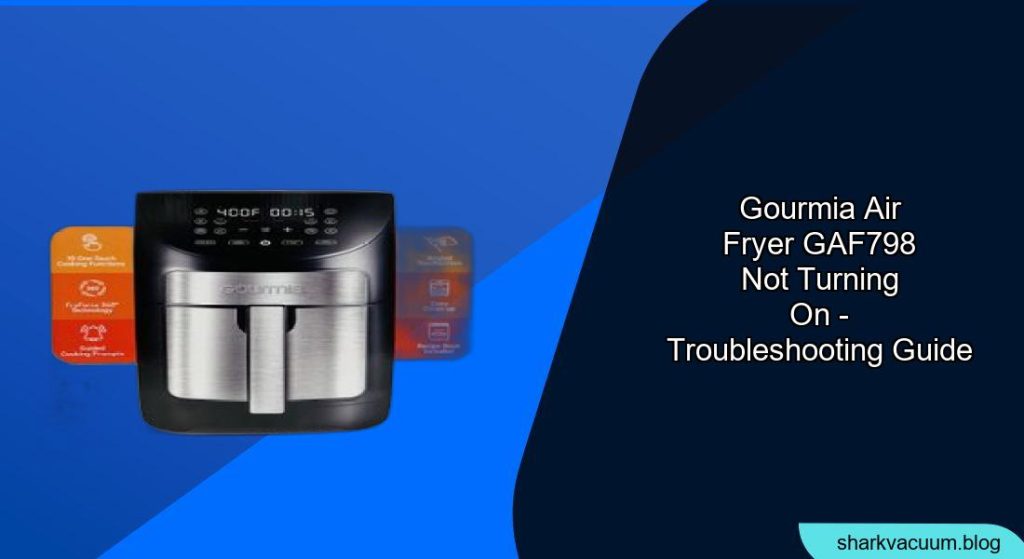
Experiencing a non-responsive Gourmia GAF798 air fryer can be frustrating when you’re ready to cook a quick and healthy meal. This guide provides a systematic approach to diagnosing and resolving the issue of your Gourmia air fryer not turning on, helping you get back to enjoying your favorite air-fried dishes.
Understanding Why Your Gourmia Air Fryer Won’t Power On

There are several reasons why your Gourmia GAF798 air fryer might not be turning on. These range from simple user errors to more complex electrical issues. Addressing the problem methodically can save you time and potentially avoid unnecessary repairs.
Initial Checks: Power Source and Basic Connections
Before diving into more complex troubleshooting, start with these basic checks.
- Power Outlet: Verify the air fryer is plugged into a functioning power outlet. Test the outlet with another device to confirm it’s providing power.
- Power Cord: Inspect the power cord for any visible damage, such as cuts or frayed wires. If damaged, the cord may need replacement.
- Proper Assembly: Ensure all removable parts, like the basket and tray, are correctly assembled and properly seated. Many air fryers have safety mechanisms that prevent operation if parts are not correctly in place.
Troubleshooting Common Issues
If the initial checks don’t resolve the problem, consider these common issues.
1. Overheating Protection
Many air fryers have an overheating protection feature that shuts down the unit if it gets too hot.
- Solution: Unplug the air fryer and let it cool down completely for at least 30 minutes. After cooling, try turning it on again.
- Pro Tip: To prevent overheating, avoid overcrowding the basket and ensure proper ventilation around the air fryer during use.
2. Control Panel Malfunction
A faulty control panel can prevent the air fryer from powering on.
- Solution: Try resetting the air fryer by unplugging it for several minutes, then plugging it back in. If the control panel is unresponsive or displays error codes, consult the user manual for specific troubleshooting steps.
- Alternative: Check the Gourmia website for troubleshooting guides or contact their customer support for assistance.
3. Safety Switch Issues
Air fryers often have safety switches that prevent operation if the basket is not properly inserted.
- Solution: Ensure the basket is fully and correctly inserted into the air fryer. Try removing and reinserting the basket firmly to engage the safety switch.
- Warning: Never attempt to bypass or disable the safety switch, as this could pose a safety hazard.
4. Internal Component Failure
If none of the above solutions work, there may be an internal component failure, such as a blown fuse or a malfunctioning heating element.
- Solution: Check the user manual for instructions on how to check and replace the fuse (if applicable). If you are not comfortable with electrical repairs, it’s best to contact a qualified appliance repair technician.
- Best Practice: Avoid attempting complex repairs yourself unless you have the necessary skills and experience.
Practical Tips for Maintaining Your Gourmia Air Fryer
Regular maintenance can help prevent future issues and extend the lifespan of your air fryer.
- Clean After Each Use: Clean the basket and tray after each use to prevent food buildup, which can cause overheating and affect performance.
- Avoid Overloading: Do not overload the basket, as this can restrict airflow and lead to uneven cooking.
- Proper Ventilation: Ensure proper ventilation around the air fryer during use to prevent overheating.
- Regular Inspection: Periodically inspect the power cord and other components for signs of wear or damage.
Troubleshooting Guide
| Problem | Possible Cause | Solution |
|---|---|---|
| Air fryer not turning on | No power to outlet | Test the outlet with another device. |
| Damaged power cord | Inspect the cord for damage; replace if necessary. | |
| Improper assembly | Ensure all parts are correctly assembled. | |
| Air fryer shuts off during operation | Overheating protection | Unplug and let cool for 30 minutes. |
| Control panel malfunction | Reset the air fryer by unplugging for several minutes. | |
| Safety switch not engaged | Ensure the basket is fully and correctly inserted. | |
| Air fryer still not working after checks | Internal component failure | Check and replace the fuse (if applicable); consult a technician if needed. |
FAQ: Troubleshooting Your Gourmia Air Fryer
What do I do if my Gourmia air fryer’s display is not working?
If the display is not working, first try resetting the air fryer by unplugging it for a few minutes. If that doesn’t work, check the power outlet and cord for any issues. A faulty display might indicate a more significant electrical problem that requires professional repair. Consider contacting Gourmia customer support or a qualified appliance technician for further assistance.
How can I prevent my Gourmia air fryer from overheating?
To prevent your Gourmia air fryer from overheating, avoid overcrowding the basket, which restricts airflow. Ensure there is enough space around the air fryer for proper ventilation. Regularly clean the appliance to prevent food buildup, which can also lead to overheating. If you notice the air fryer frequently overheating, consider reducing the cooking time or temperature.
What should I do if my Gourmia air fryer smells like plastic?
A plastic smell is common during the first few uses of a new air fryer. To reduce the smell, run the air fryer empty at a high temperature for about 15-20 minutes. Ensure the room is well-ventilated. If the smell persists after several uses, contact Gourmia customer support, as it could indicate a more serious issue with the appliance’s components.
Can I use an extension cord with my Gourmia air fryer?
It’s generally not recommended to use an extension cord with your Gourmia air fryer, as it can pose a safety hazard. Air fryers require a significant amount of power, and using an extension cord can overload the circuit, leading to overheating or fire. If you must use an extension cord, ensure it is a heavy-duty cord rated for the air fryer’s wattage and that it is in good condition.
What if my Gourmia air fryer trips my circuit breaker?
If your Gourmia air fryer trips the circuit breaker, it indicates that the appliance is drawing too much power. Avoid using other high-power appliances on the same circuit while using the air fryer. You can also try using the air fryer on a different circuit. If the problem persists, have a qualified electrician check your home’s electrical system to ensure it can handle the load.
How do I know if my Gourmia air fryer’s heating element is faulty?
Signs of a faulty heating element include the air fryer not heating up, uneven cooking, or unusual smells. You can visually inspect the heating element for any signs of damage, such as cracks or breaks. If you suspect the heating element is faulty, contact a qualified appliance repair technician to inspect and replace it.
Tips, Warnings, and Best Practices
- Read the Manual: Always refer to the user manual for specific troubleshooting steps and safety information.
- Unplug Before Cleaning: Always unplug the air fryer before cleaning or performing any maintenance.
- Avoid Abrasive Cleaners: Use gentle, non-abrasive cleaners to avoid damaging the air fryer’s surfaces.
- Check for Recalls: Check the manufacturer’s website for any recalls or safety notices related to your model.
Conclusion
Troubleshooting a Gourmia GAF798 air fryer that won’t turn on involves a systematic approach, starting with basic checks and progressing to more complex issues. By following this guide, you can identify and resolve common problems, ensuring your air fryer is back up and running in no time. If you encounter issues beyond your comfort level, don’t hesitate to seek professional assistance.