

Experiencing issues with your Chefman single-serve coffee maker? It’s frustrating when your morning coffee routine is disrupted. This guide will walk you through common problems, troubleshooting steps, and solutions to get your coffee maker brewing again.
Chefman single-serve coffee makers are designed for convenience, offering a quick and easy way to enjoy a single cup of coffee. However, like any appliance, they can sometimes malfunction. This article provides practical steps to diagnose and resolve common issues preventing your Chefman coffee maker from working correctly, ensuring you get back to enjoying your daily brew.
From power problems to brewing issues, we’ll cover a range of potential causes and offer clear, actionable solutions. Let’s troubleshoot your Chefman coffee maker and get it back in working order.
Common Reasons Your Chefman Coffee Maker Isn’t Working

Before diving into detailed troubleshooting, let’s identify some of the most frequent reasons why your Chefman single-serve coffee maker might not be working:
- Power Issues: The coffee maker isn’t receiving power.
- Water Reservoir Problems: The water reservoir is empty, incorrectly positioned, or malfunctioning.
- Clogging: Mineral buildup or coffee grounds are clogging the machine.
- Mechanical Issues: Problems with the piercing mechanism or other internal components.
- User Error: Incorrect operation or settings.
Troubleshooting Power and Electrical Issues
If your Chefman coffee maker isn’t turning on, the first step is to check the power supply:
- Check the Power Outlet: Ensure the coffee maker is plugged into a working outlet. Test the outlet with another device to confirm it’s providing power.
- Inspect the Power Cord: Look for any signs of damage to the power cord. If the cord is damaged, it may need to be replaced.
- Reset the Coffee Maker: Some models have a reset button. Consult your user manual to locate and press the reset button.
- Check the On/Off Switch: Make sure the power switch is in the “on” position. It may seem obvious, but it’s easily overlooked.
If none of these steps work, there might be an internal electrical issue that requires professional repair or replacement of the coffee maker.
Addressing Water Reservoir Problems

The water reservoir is crucial for the coffee maker to function correctly. Here’s how to troubleshoot potential issues:
- Ensure the Reservoir is Filled: The coffee maker won’t start if the water reservoir is empty. Fill it to the recommended level.
- Check Reservoir Placement: Make sure the reservoir is correctly seated and locked into place. An improperly positioned reservoir can prevent the coffee maker from recognizing that water is available.
- Clean the Reservoir: Mineral deposits or debris in the reservoir can interfere with its operation. Clean the reservoir with mild soap and water, then rinse thoroughly.
- Inspect the Valve: Some reservoirs have a valve at the bottom that releases water into the machine. Ensure this valve is not blocked or damaged.
Descaling and Clearing Clogs
Clogging is a common issue, especially in areas with hard water. Mineral buildup can prevent water from flowing correctly.
- Descale the Coffee Maker: Use a descaling solution (commercial descaler or a mixture of equal parts white vinegar and water). Follow the manufacturer’s instructions for descaling. Typically, this involves running the descaling solution through a brew cycle, followed by several cycles of fresh water to rinse.
- Clean the Needle: The needle that pierces the coffee pod can become clogged with coffee grounds. Use a small pin or needle to gently clear any blockages.
- Flush the System: After descaling and cleaning, run several cycles of hot water through the coffee maker to flush out any remaining debris or descaling solution.
- Check the Exit Spout: Ensure the spout where coffee is dispensed is clear of any obstructions.
Fixing Mechanical Issues
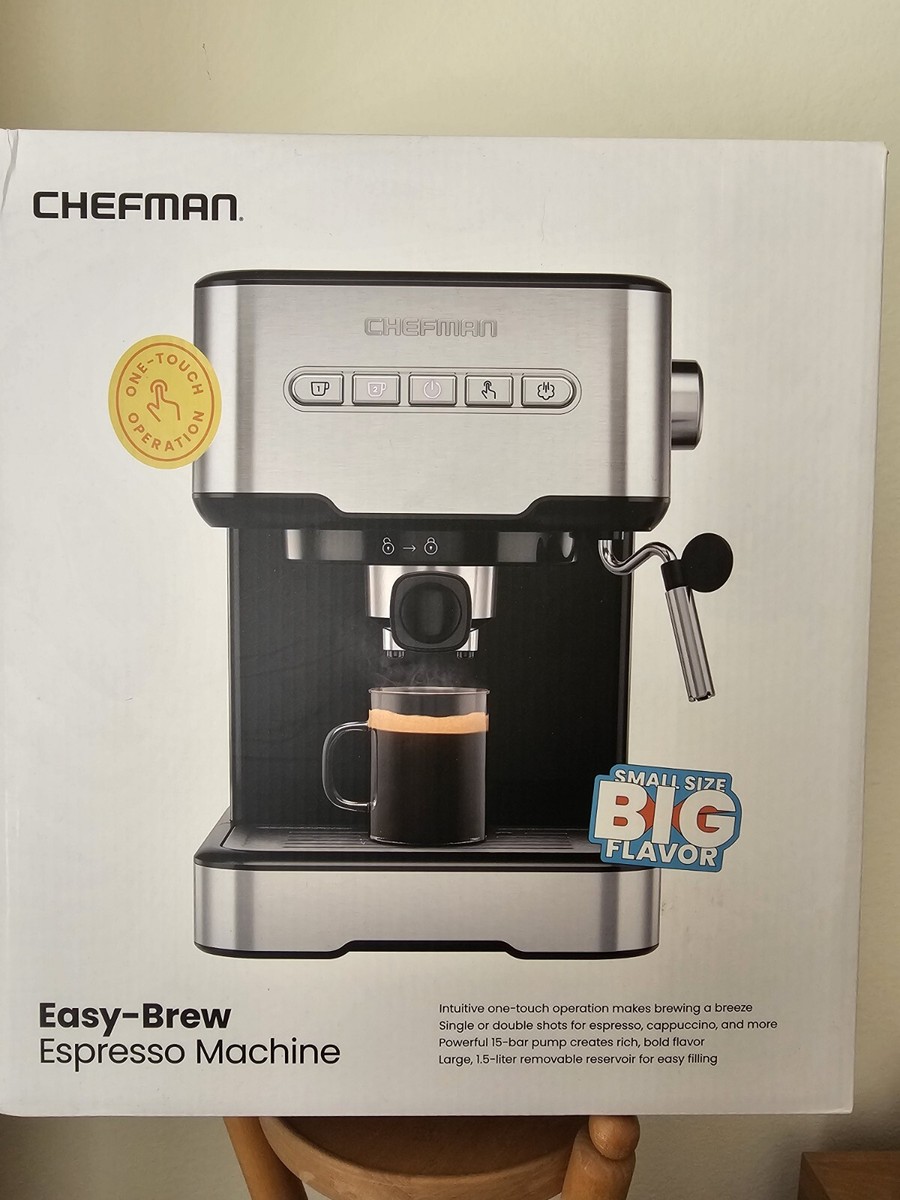
Mechanical problems can sometimes prevent your Chefman coffee maker from working correctly:
- Inspect the Pod Holder: Make sure the pod holder is clean and correctly inserted. If it’s damaged, it may need to be replaced.
- Check the Piercing Mechanism: Ensure the needle that pierces the coffee pod is not bent or broken. If it is, you may need to replace the pod holder assembly.
- Examine Moving Parts: Look for any obvious signs of damage or misalignment in the moving parts of the coffee maker.
Addressing User Error
Sometimes, the issue isn’t the coffee maker itself, but how it’s being used:
- Read the Manual: Familiarize yourself with the correct operation of your specific Chefman model.
- Use the Correct Pods: Ensure you’re using pods that are compatible with your coffee maker.
- Follow Instructions: Follow the manufacturer’s instructions for brewing, including water levels and pod placement.
- Avoid Overfilling: Do not overfill the water reservoir or use excessive amounts of coffee grounds in reusable filters.
Preparation Steps Before Troubleshooting
Before you begin troubleshooting, take these preparatory steps:
- Unplug the Coffee Maker: Always unplug the coffee maker from the power outlet before performing any maintenance or troubleshooting steps.
- Gather Supplies: Have the necessary supplies on hand, such as descaling solution, cleaning cloths, small brushes, and a pin or needle.
- Consult the Manual: Keep your user manual nearby for specific instructions and diagrams related to your model.
Troubleshooting Guide
| Problem | Possible Cause(s) | Solution(s) |
|---|---|---|
| Coffee maker won’t turn on | No power, damaged cord, faulty switch | Check outlet, inspect cord, try reset button, ensure switch is on |
| Coffee maker starts but doesn’t brew | Empty reservoir, reservoir not seated correctly, clog | Fill reservoir, reposition reservoir, descale and clean needle |
| Weak or slow brewing | Clog, low water level, incorrect pod placement | Descale, fill reservoir to correct level, ensure pod is correctly placed |
| Coffee maker leaking | Reservoir leak, improper assembly, damaged components | Check reservoir for cracks, ensure all parts are correctly assembled, inspect for damaged seals or hoses |
| Coffee has grounds in it | Pod rupture, filter issue | Use different pods, check and replace filter if using a reusable filter, ensure pod holder is correctly placed |
| Coffee maker makes unusual noises | Air in system, mechanical issue | Run a water-only cycle to remove air, inspect moving parts for damage |
Pro Tips for Chefman Coffee Maker Maintenance
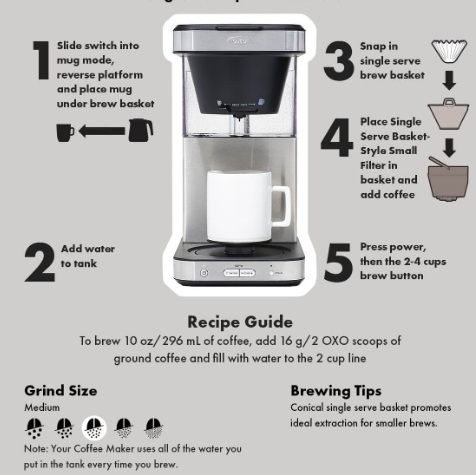
- Regular Descaling: Descale your coffee maker every 1-3 months, depending on water hardness.
- Use Filtered Water: Using filtered water can reduce mineral buildup and improve coffee taste.
- Clean Regularly: Wipe down the exterior of the coffee maker and clean the pod holder after each use.
- Store Properly: When not in use, store the coffee maker in a dry place, away from extreme temperatures.
Alternatives/Variations
If troubleshooting doesn’t resolve the issue, consider these alternatives:
- Contact Customer Support: Reach out to Chefman customer support for assistance. They may offer specific troubleshooting steps or warranty information.
- Professional Repair: If the coffee maker is still under warranty or if you’re comfortable with appliance repair, consider professional repair services.
- Replacement: If the coffee maker is beyond repair or the cost of repair is too high, consider purchasing a new coffee maker.
FAQ
Why is my Chefman coffee maker brewing slowly?
Slow brewing is often caused by mineral buildup or coffee grounds clogging the machine. Try descaling the coffee maker and cleaning the needle to clear any blockages. Using filtered water in the future can also help prevent this issue.
What type of descaling solution should I use for my Chefman coffee maker?
You can use a commercial descaling solution specifically designed for coffee makers, or a mixture of equal parts white vinegar and water. Follow the instructions in your user manual for the descaling process.
How often should I clean my Chefman single-serve coffee maker?
For optimal performance, clean the exterior and pod holder after each use. Descale the coffee maker every 1-3 months, depending on water hardness and frequency of use.
What do I do if my Chefman coffee maker is leaking?
Check the water reservoir for cracks or damage, and ensure it’s correctly seated. Also, inspect the hoses and seals for any leaks. If you find damaged components, they may need to be replaced.
Can I use reusable coffee filters in my Chefman single-serve coffee maker?
Yes, some Chefman single-serve coffee makers are compatible with reusable coffee filters. Make sure the filter is designed for single-serve machines and follow the manufacturer’s instructions for use.
What if my coffee maker still doesn’t work after trying these steps?
If you’ve tried all the troubleshooting steps and your coffee maker still isn’t working, contact Chefman customer support for further assistance. There may be an internal issue that requires professional attention.
Tips, Warnings, and Best Practices
- Safety First: Always unplug the coffee maker before cleaning or performing maintenance.
- Avoid Abrasive Cleaners: Do not use abrasive cleaners or scouring pads, as they can damage the coffee maker’s surface.
- Follow Descaling Instructions: Always follow the manufacturer’s instructions for descaling to avoid damaging the machine.
- Preventative Maintenance: Regular cleaning and descaling can significantly extend the life of your coffee maker.
Conclusion
Troubleshooting a Chefman single-serve coffee maker that isn’t working can be straightforward with the right guidance. By systematically checking power, water supply, clogs, and mechanical components, you can often identify and resolve the issue. Regular maintenance and following best practices will help keep your coffee maker in optimal condition, ensuring you enjoy a hassle-free coffee experience every time. If problems persist, consider contacting customer support or exploring repair options to get your Chefman coffee maker back to brewing your favorite cup of coffee.