
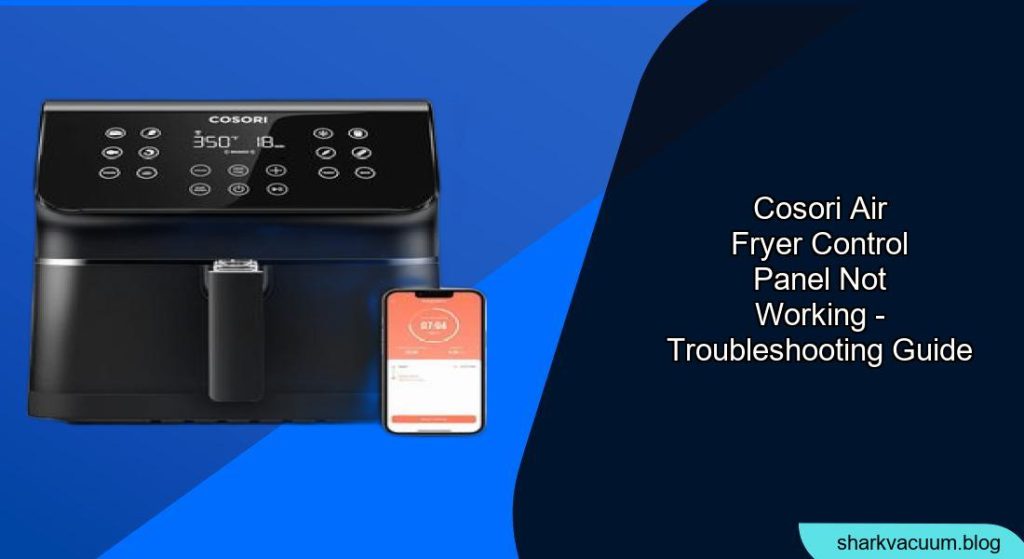
Is your Cosori air fryer control panel unresponsive? It can be frustrating when your appliance malfunctions, especially when you’re ready to cook a delicious meal. This guide will walk you through the most common causes of a Cosori air fryer control panel not working and provide step-by-step solutions to get you back on track.
Why Your Cosori Air Fryer Panel Isn’t Working

A malfunctioning control panel can stem from several issues, ranging from simple fixes to more complex technical problems. Identifying the root cause is the first step toward resolving the issue. Common reasons include power supply problems, locked settings, sensor malfunctions, or internal component failures. We’ll explore these possibilities and provide actionable steps to troubleshoot each scenario.
Troubleshooting Steps
Here’s a comprehensive guide to help you diagnose and fix the issue:
1. Check the Power Supply
The most basic, yet often overlooked, step is to ensure your air fryer is receiving power.
- Action: Verify that the air fryer is properly plugged into a working electrical outlet.
- Details: Test the outlet with another device to confirm it’s providing power. Check the power cord for any visible damage. If there’s damage, do not use the air fryer and consider replacing the cord or contacting customer support.
2. Reset the Air Fryer
Sometimes, a simple reset can resolve electronic glitches.
- Action: Unplug the air fryer from the power outlet.
- Details: Wait for 60 seconds, then plug it back in. This can reset the internal circuits and clear any temporary software issues.
3. Disable Child Lock
Many Cosori air fryers come with a child lock feature that disables the control panel.
- Action: Check if the child lock is enabled.
- Details: Refer to your user manual for instructions on how to disable the child lock. Typically, this involves pressing and holding a specific button for a few seconds.
4. Examine the Display Panel
Physical damage or debris on the display can cause malfunctions.
- Action: Inspect the control panel for any visible damage or dirt.
- Details: Clean the panel gently with a soft, dry cloth. Avoid using abrasive cleaners or excessive moisture.
5. Sensor Issues
Faulty sensors can prevent the control panel from functioning correctly.
- Action: Check if any error codes are displayed.
- Details: Consult your user manual to identify the meaning of the error code and follow the recommended troubleshooting steps. Common sensor issues relate to overheating or improper assembly of the basket.
6. Overheating Protection
Cosori air fryers have an overheating protection feature that shuts down the unit if it gets too hot.
- Action: Allow the air fryer to cool down completely.
- Details: Unplug the unit and let it sit for at least 30 minutes. Then, plug it back in and try again. Ensure proper ventilation during use to prevent overheating.
7. Check Basket and Drawer Alignment
If the basket or drawer is not correctly aligned, the air fryer may not operate.
- Action: Ensure the basket and drawer are properly inserted and aligned.
- Details: Remove and reinsert the basket, making sure it clicks into place. Check for any obstructions preventing a secure fit.
8. Contact Customer Support
If none of the above steps work, there may be an internal component failure.
- Action: Contact Cosori customer support for assistance.
- Details: Provide them with the model number, purchase date, and a detailed description of the issue. They may offer further troubleshooting steps or advise on repair or replacement options.
Practical Tips for Maintaining Your Cosori Air Fryer
:max_bytes(150000):strip_icc()/ewl-tier-3-detail-cosori-9-1-5qt-air-fryer-nsimpson-777-662692128417430c8d1806dc4cf8e4f5.jpeg)
Here are some best practices to keep your Cosori air fryer in top working condition:
- Regular Cleaning: Clean the basket and interior after each use to prevent buildup.
- Proper Ventilation: Ensure adequate space around the air fryer during operation to prevent overheating.
- Avoid Overloading: Do not overfill the basket, as this can affect cooking performance and potentially damage the unit.
- Use Appropriate Utensils: Use silicone or wooden utensils to avoid scratching the non-stick coating.
FAQ
What does it mean when my Cosori air fryer shows an error code?
Error codes indicate specific problems, such as overheating, sensor failure, or component malfunction. Refer to your user manual to identify the code and follow the recommended troubleshooting steps.
How do I reset my Cosori air fryer if the control panel is frozen?
Unplug the air fryer from the power outlet for 60 seconds, then plug it back in. This can reset the internal circuits and clear any temporary software issues, often resolving a frozen control panel.
Can I use my Cosori air fryer if the control panel is partially working?
It’s not recommended to use the air fryer if the control panel is only partially working, as it may lead to inaccurate cooking times and temperatures, potentially causing food safety issues or further damage to the appliance.
What should I do if my Cosori air fryer’s touch screen is unresponsive?
First, ensure the screen is clean and dry. Try resetting the air fryer by unplugging it for 60 seconds. If the issue persists, contact Cosori customer support for further assistance, as it could indicate a hardware problem.
Is it safe to use an extension cord with my Cosori air fryer?
While it’s generally safe to use an extension cord, ensure it is heavy-duty and rated to handle the air fryer’s power requirements. Avoid using multiple appliances on the same extension cord to prevent overloading.
How often should I clean my Cosori air fryer to prevent issues with the control panel?
Clean your Cosori air fryer after each use to prevent food buildup, which can lead to overheating and other issues. Regular cleaning helps maintain optimal performance and prolongs the lifespan of the appliance.
Tips, Warnings, and Best Practices
- Safety First: Always unplug the air fryer before cleaning or performing any maintenance.
- Avoid Water Damage: Never immerse the air fryer in water or other liquids.
- Read the Manual: Always consult your user manual for specific instructions and troubleshooting tips.
- Warranty: Check if your air fryer is still under warranty. Contact Cosori for repair or replacement options if necessary.
Conclusion
A non-responsive Cosori air fryer control panel can be a frustrating issue, but often it can be resolved with simple troubleshooting steps. By systematically checking the power supply, resetting the unit, examining the display, and addressing potential sensor issues, you can often get your air fryer back up and running.
If all else fails, don’t hesitate to contact Cosori customer support for expert assistance. With proper maintenance and care, your Cosori air fryer can continue to provide delicious, healthy meals for years to come.